Multi Cloud AI & Python
MultiCloud DevSecOps with Integrated AI & Python
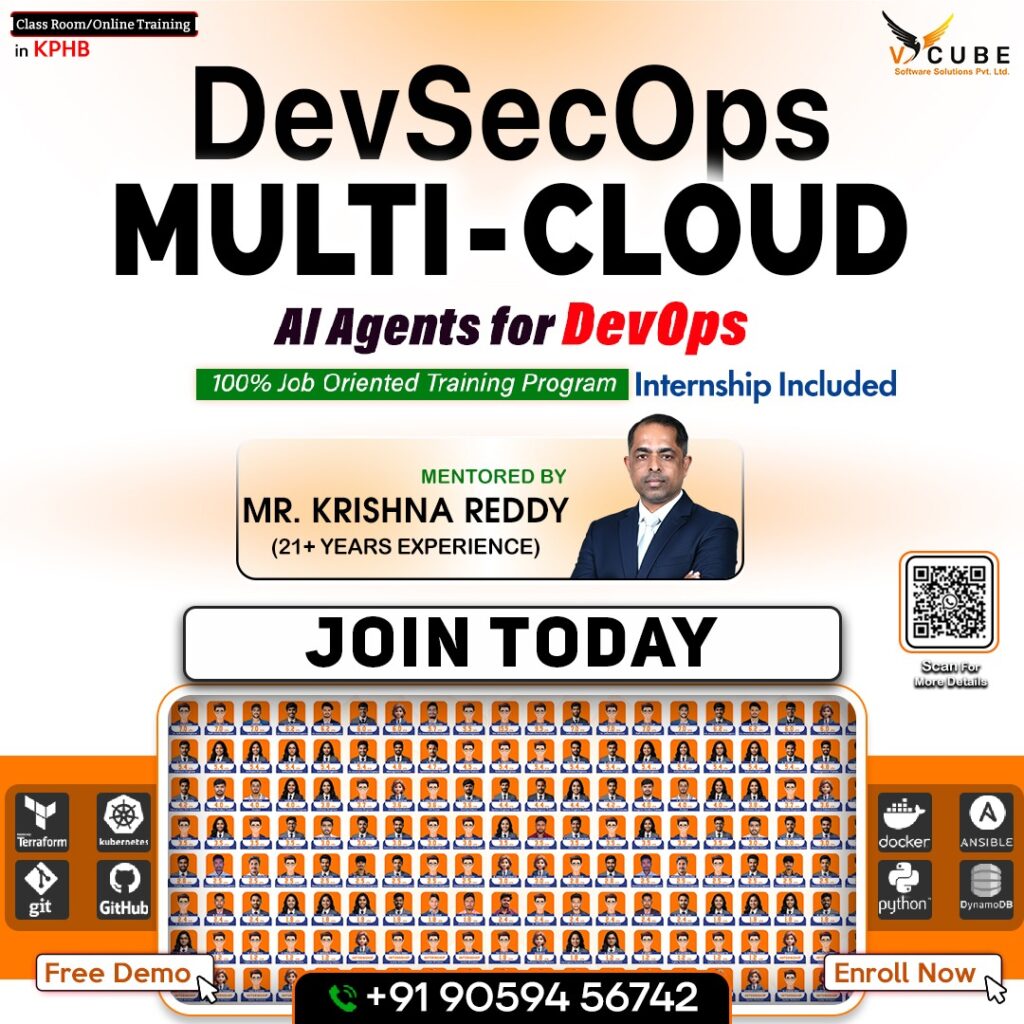
Course Syllabus Projects: 21+ Real-Time, Industry-Level Projects
Welcome to the Cloud and DevOps Mastery course!
In today’s fast-evolving tech landscape, mastering cloud infrastructure and DevOps methodologies is critical for building robust, scalable applications.This comprehensive course offers a structured learning path, covering essential tools and platforms such as Microsoft Azure, Amazon Web Services (AWS), Kubernetes, Docker, and Terraform, alongside AI-driven tools like GitHub Co-pilot and Kubectl AI. By combining theoretical concepts with practical labs and real-world projects, this course equips you with the skills to design, deploy, and optimize cloud-native solutions. Whether you’re a beginner or an experienced professional, this syllabus will guide you through a transformative learning journey.
Duration: 4.5 – 5 Months


JAVA FULL STACK Course's Key Highlights
 100+ hours of learning Real-time industry professionals curate the course.
Internships and live projects
A cutting-edge training facility
Dedicated staff of placement experts
Placement is guaranteed 100 percent Assistance
28+ Skills That Are Useful in the Workplace
Trainers with a minimum of 12 years of experience
Videos and back-up classes
Subject Matter Experts Deliver Guest Lectures
Contact Us
Course Description:
This course offers a comprehensive learning path into Cloud Computing, DevOps, and DevSecOps, integrating
AI-powered automation and Python scripting. It combines platforms such as Azure, AWS, Kubernetes, and Terraform, along with modern security and compliance tools like Checkov, Trivy, and Gitleaks. Through hands-on labs and real-time industrial projects, learners will develop expertise in architecting, deploying, and securing scalable cloud-based systems.
Learning Objectives:
By the end of the course, learners will be able to:
- Understand and implement IaaS, PaaS, SaaS models in Azure and AWS.
- Apply DevOps & DevSecOps practices with Jenkins, Azure DevOps, Harness, and SonarQube.
- Master containerization and orchestration using Docker, Kubernetes, and Helm.
- Automate infrastructure using Terraform and Ansible.
- Integrate security scanning tools such as Checkov, Trivy, and Gitleaks in CI/CD pipelines.
- Build and manage AI-driven operations (AIOps) for intelligent monitoring and alerting.
- Gain hands-on experience through 21+ industrial-grade projects.
Recommended For:
- Developers and DevOps Engineers transitioning into Cloud Security roles.
- IT professionals aiming to specialize in Multi-Cloud Automation and DevSecOps.
- Students aspiring to gain real-world project exposure across Azure, AWS, and Kubernetes ecosystems.
Resources:
1. Spacious Classrooms:
- Modern, air-conditioned classrooms with comfortable seating for an optimal learning experience.
- Fully equipped with projectors and whiteboards to support interactive and engaging sessions.
- Provides an ideal environment for focused learning, teamwork, and group discussions.
2. Class Schedule:
- Regular Classes: 1 hour daily (Monday to Friday).
- Flexible Practice Slots: Available for all batches to enhance practical exposure.
- Real-Time Project Environment: Simulates industry-level work experience for better skill application.
3. Practice Labs:
- Spacious, dedicated lab designed for extended hands-on sessions.
- Open Access: 8:00 AM – 7:00 PM (Monday to Saturday).
- Mandatory Lab Practice: Every student must complete a minimum of 2 hours of lab practice daily.
- Continuous Mentor Support: Available during lab hours to provide personalized guidance with “Junior Trainers”
- Saturday Sessions: Include weekly exams or mock interviews to reinforce learning and assess progress.
Course Outline
Module 1: AI Agent – GitHub Co-pilot Workspace:
- Introduction to GitHub Co-pilot and setup.
- Integrating Co-pilot for AI-assisted coding in VS Code.
- Generating code, YAML, and scripts using Co-pilot.
- Leveraging Co-pilot for IaC and automation.
Module 2: AI Chatbox – Claude:
- Introduction to Claude AI chatbox.
- Working with Claude for conversational AI.
- Prompt engineering based on specific requirements.
Module 3: AI Deployment – Harness:
- Introduction to Harness CI/CD with AI.
- Building pipelines for intelligent deployments.
- Automated rollback and anomaly detection.
- Deploying applications using Harness.
Module 4: Azure AI Foundry:
- Introduction to Azure AI Foundry.
- Architecture of Azure AI Foundry.
- Building and deploying AI Agents in Azure AI Foundry.
- Integrating AI models into DevOps workflows.
- Working with Hubs, Projects, and AI Playgrounds.
Module 5: Kubectl AI:
- Introduction to Kubectl AI for Kubernetes.
- Using AI – powered natural language commands to manage Kubernetes clusters.
- Enhancing efficiency in Kubernetes operations.
Module 6: AIOps for Cloud & DevOps:
- Understanding AIOps and predictive analytics.
- Implementing AI-driven log analysis and alerting.
- Auto-healing using cloud-native AIOps.
Module 7: AI for IaC:
- Generating and validating Terraform/Ansible code with AI.
- Auto-documentation and linting.
- Policy compliance checks via AI tools.
Module 8: AI for Kubernetes Troubleshooting:
- Why K8s troubleshooting is hard (pods failing, networking issues, scaling problems).
- How AI tools help.
- Kubectl AI Plugins.
- K8sGPT – AI powered troubleshooting for Kubernetes clusters.
- Azure OpenAI + K8s logs for Root Cause Analysis (RCA).
Module 9: GitHub Co-pilot & AI Pair Programming:
- What is GitHub Copilot?
- How to set up Copilot for Powershell, Bash, Terraform, Kubernetes, and YAML files.
- Prompt engineering for DevOps: Writing better prompts for IaC & CI/CD.
Module 10: Azure Cloud Services:
1. Introduction to Azure Cloud Infrastructure:
- Overview of Cloud Technology
- Setting up a free – tier Azure account.
- Understanding subscriptions and tenants.
- Exploring IaaS, PaaS, and SaaS models.
2. Implementing and Managing Azure Networking:
- Overview of Azure Networking.
- Implementing and managing Azure virtual networks.
- Configuring virtual networks, subnets, and connectivity.
- Configuring Virtual Network Region and Global Peering.
- Understanding Azure to on-premises connectivity.
- Deploying Azure Virtual Network Gateway.
- Configuring User Defined Routes (UDR).
- Setting up Azure Virtual Network Gateway with AWS over IPSec VPN.
- Implementing Azure Service Endpoints.
- Understanding Hub and Spoke architecture.
3. Understanding and Configuring Network Security Groups (NSG):
- Overview of Azure NSGs.
- Creating and updating inbound/outbound security rules.
- Understanding NSG rule hierarchy and priority.
- Creating NSG rules with service tags.
- Understanding and creating Application Security Groups (ASG).
4. Implementing & Configuring Azure Virtual Machines:
- Overview of Azure virtual machines.
- Deploying virtual machines via Azure portal and CLI.
- Managing virtual machine storage.
- Understanding Availability Sets, Fault Domains, and Update Domains.
- Placing virtual machines in Availability Sets.
5. Designing & Implementing Azure Load Balancing:
- Overview of load balancing.
- Types of Azure load balancers (Basic vs. Standard).
- Configuring Azure Standard Load Balancer.
- Implementing Azure DNS.
- Buying and configuring a domain with GoDaddy.
- Creating DNS zones and records (A, CNAME).
- Load balancing across Availability Sets.
6. Configuring Azure Application Gateway:
- Understanding Azure Application Gateway architecture.
- Configuring path-based routing and SSL offloading.
- Setting up multiple VMs with Application Gateway.
7. Configuring Auto Scaling with Virtual Machine Scale Sets (VMSS):
- Understanding Azure VMSS
- Creating custom VM images for VMSS
- Deploying and stress-testing VMSS
- Observing auto-scaling behavior
8. Planning & Implementing Azure Storage:
- Overview of Azure Storage accounts.
- Understanding Blob Storage and File Shares.
- Configuring Azure FileSync.
- Data migration using Azure Storage Explorer.
- Managing storage permissions.
- Deploying static websites with custom domains
9. Backup & Disaster Recovery:
- Overview of backup and disaster recovery.
- Backing up VMware servers, Azure VMs, and Azure SQL.
- Configuring Azure replication and failover groups.
- Setting up Azure disaster recovery vault.
- Implementing a full BCDR strategy.
10. Planning & Implementing Azure SQL Database:
- Azure SQL Database (PaaS) vs. SQL Database (IaaS).
- Structured vs. unstructured data.
- Understanding DTUs in Azure SQL.
- Configuring global replication and failover groups.
11. Implementing Azure App Services:
- Overview of Azure Web Apps (PaaS).
- Deploying and managing web apps.
- Configuring Azure App Service plans and deployment slots.
- Scaling and ensuring resilience.
12. Configure Diagnostics, Monitoring, and Analytics:
- Setting up Azure monitoring and alerts.
- Using Log Analytics.
- Introduction to Azure Key Vault.
- Creating and managing vaults, secrets, and credentials.
- Integrating vaults with Azure Pipelines.
- Configure and manage VMs, storage, and networks.
- Integrate Key Vault, Log Analytics, and ELK Stack.
- Centralized logging and analytics.
Module 11: Infrastructure as Code (IaC) – Terraform + Checkov:
- Introduction to Terraform and infrastructure automation.
- Installing Terraform.
- Understanding providers, resources, and basic syntax.
- Writing your first Terraform script (main.tf).
- Exploring Terraform Plan, Show, Apply, and Destroy.
- Using Terraform Registry, console, and outputs
1. Terraform Variables & Modules:
- Breaking down main.tf into variables.tf and output.tf.
- Introduction to Terraform modules.
- Creating and using basic modules.
- Exploring module repositories.
2. Terraform with Azure – Lab Part 1:
- Setting up systems for Azure.
- Creating storage accounts and resource groups.
- Managing remote state and data sources.
- Working with state files and templates.
3. Terraform with Azure – Lab Part 2:
- Setting up virtual networks and subnets.
- Configuring NSGs on Azure.
- Checkov Integration:
- ➢ Introduction & Fundamentals.
- ➢ Installation & Basic Usage.
- ➢ Deep Dive into Policies & Rules.
- ➢ Use Cases & Hands-On Labs.
Module 12: DevOps – Azure DevOps + Gitleaks:
1. Introduction to DevOps:
- Understanding DevOps concepts and history.
- Exploring DevOps methodologies: Agile, Scrum, Waterfall.
2. Azure DevOps Introduction:
- Overview of Azure DevOps Services.
- Setting up a free-tier Azure DevOps account.
- Creating Azure Projects.
- Navigating the Azure DevOps Overview tab.
- Scenario – based interview questions and solutions.
3. Azure Work Item Management:
- Understanding Azure DevOps Boards.
- Creating and managing work items.
- Backing up and migrating work items.
- Customizing iteration paths and board views.
4. Repository Management:
- Introduction to repository management.
- Centralized vs. distributed version control.
- Basic and advanced Git commands (cherry-picking, rebase, stash).
- Git security with Talisman (pre-commit/pre-push hooks).
- Analyzing Talisman reports.
5. Azure Repos:
- Introduction to Azure Repos.
- Creating multi-branch repositories.
- Cloning, forking, and managing commit history.
- Advanced pull request concepts (merge, squash, rebase).
- Tag creation, security, and policies.
6. Azure Service Connections and Agent Pools:
- Understanding service principals and connections.
- Creating service connections.
- Hosted vs. self-hosted agent pools.
- Setting up self-hosted agent pools.
7. YAML and Azure Pipelines:
- YAML syntax and data types.
- Understanding continuous integration (CI).
- Creating build pipelines for ASP.NET, Java Spring Boot, and SQL DACPAC projects.
- Configuring build triggers, variables, and filters.
- Using deployment groups, environments, and task groups.
8. Release Pipelines:
- Understanding continuous deployment and delivery.
- Creating classic and YAML release pipelines.
- Deploying ASP.NET, Java, and SQL DACPAC applications.
- Deployment strategies.
9. Maven and Build Pipeline Security:
- Introduction to Maven for Java builds.
- Setting up SonarQube for static code analysis.
- Integrating SonarQube with Java pipelines.
- Creating custom publish gates and analyzing reports.
10. Azure Artifacts:
- Creating and managing private feeds.
- Packaging and pushing dependencies to feeds.
11. Azure Settings:
- Organization and project settings.
- Azure Active Directory integration.
- Managing permissions, users, groups, and retention policies.
- Gitleaks Integration:
- ➢ Introduction & Fundamentals.
- ➢ Installation & Basic Usage.
- ➢ Configuration & Custom Rules.
- ➢ Integrating into CI/CD & Developer Workflows.
Module 13: Docker + Trivy:
1. Docker Engine Installation:
- Manual and automated deployment on Ubuntu/CentOS.
- Understanding Docker Desktop vs. Server.
- Version checks and default locations.
2. Docker Architecture:
- Docker daemon, client, registry, and objects.
- Managing images and containers.
- Deploying sample applications (e.g., web servers).
3. Docker Networking:
- Understanding IP, subnets, CIDR, and network types (host, bridge, null, overlay).
- Overview of Docker Network Plugins.
4. Docker Storage:
- Ephemeral vs. persistent storage.
- Bind and volume mounts.
- Building and managing custom images with Dockerfiles.
- Storing images in Docker Hub.
- Trivy Integration:
- ➢ Introduction & Fundamentals.
- ➢ Installation & Basic Usage.
- ➢ Scanning Targets & Advanced Options.
- ➢ Integrating Trivy into CI/CD & DevSecOps Pipelines.
Module 14: Kubernetes + Security:
- Introduction to Kubernetes.
- Understanding Kubernetes architecture and namespaces.
- Installing and configuring Kubernetes.
- Managing ReplicaSets, Services, Load Balancers, and Ingress.
- Configuring volumes and namespaces.
- Exploring Azure Kubernetes Service (AKS).
Module 15: Ansible Automation:
- Installing and configuring Ansible.
- Managing inventory files and modules.
- Using Ansible Galaxy and Roles.
- Integrating Ansible with Azure DevOps pipelines.
Module 16: Containerization Security & Monitoring – ELK Stack:
1. Helm Charts:
- Introduction to Helm Charts.
- Installation and basic commands.
2. Monitoring (Prometheus and Grafana):
- Setting up monitoring stacks.
- Configuring Prometheus and Grafana.
- Analyzing and visualizing metrics.
- Monitoring & Observability with the ELK Stack:
- ➢ Introduction & Fundamentals.
- ➢ Setup & Installation.
- ➢ Monitoring & Alerting Use-Cases.
- ➢ Visualization & Dashboards.
Module 17: Amazon Web Services (AWS):
1. Networking in AWS:
- Introduction to AWS and networking fundamentals.
- VPC overview, components, and peering.
- Configuring VPN connections and Transit Gateway.
- Managing security groups, network ACLs, and load balancers.
- Setting up AWS Route 53 and DNS.
- Monitoring with CloudWatch and VPC Flow Logs
2. IAM (Identity Access Management)
- Introduction to IAM and its components.
- Creating users, groups, roles, and policies.
- Managing password policies and MFA.
- Implementing identity federation and cross-account access.
- Using AWS Organizations and Service Control Policies.
3. Compute:
- Introduction to EC2 instances.
- Creating launch templates and EC2 instances.
- Saving sessions with PuTTY.
- Creating images from EC2 instances.
4. Storage:
- Overview of AWS storage services (S3, EBS, Storage Gateway).
- Managing S3 buckets, EBS volumes, and snapshots.
- Configuring data lifecycle policies and S3 Glacier.
5. Databases:
- Introduction to AWS database services.
- Creating and managing RDS and Aurora instances.
- Configuring high availability, backups, and disaster recovery.
- Optimizing performance and costs.
6. Management and Governance:
- Overview of AWS Organizations, Control Tower, and Cost Explorer.
- Configuring AWS Budgets, Systems Manager, and Config Rules.
Module 18: Jenkins:
- Overview of SDLC and Jenkins.
- Understanding Jenkins Master-Slave architecture.
- Installing and configuring Jenkins.
- Managing plugins, freestyle, and pipeline jobs.
- Configuring slave nodes.
Module 19: Python for DevOps:
1. Python Introduction:
- Why Python for DevOps.
- Installing Python and setting up the environment.
- Writing and executing Python scripts.
2. Datatypes, Variables, and Best Practices in Python:
- Understanding Python datatypes (int, float, string, list, tuple, dict, set).
- Variable declaration and best practices.
3. Functions and Modules in Python:
- Defining and calling functions.
- Understanding function arguments (positional, keyword, default).
- Creating and importing modules.
- Using built-in and third-party Python modules.
4. Control Statements and Loops in Python:
- If-else conditions.
- For and while loops.
- Loop control statements (break, continue, pass).
5. File Handling in Python:
- Reading and writing files (open(), read(), write()).
- Working with JSON and CSV files.
- File handling best practices.
6. Python Socket Library:
- Understanding socket programming.
- Creating a simple client-server connection in Python.
7. Boto3 | AWS SDK for Python:
- Introduction to AWS SDK (boto3).
- Automating AWS services.
8. Docker SDK for Python:
- Introduction to the docker-py library.
- Automating Docker container management using Python.
- Running and managing containers programmatically.
9. Kubernetes with Python:
- Using Python Kubernetes-client SDK.
- Automating Kubernetes deployment using Python.
- Managing Kubernetes resources (pods, deployments, services).
Real-Time Industrial Projects (21+ Projects):
1. Azure Pipelines:
- End-to-end CI/CD pipelines for various applications.
2. AWS:
- Infrastructure end-to-end project with multiple mini-projects.
3. Jenkins:
- Java application CI/CD deployment.
- Infrastructure deployment using CI/CD pipelines.
4. Docker:
- Deploying multi-container applications.
5. Kubernetes:
- Deploying custom .NET applications on pods.
6. Terraform:
- Deploying Azure App Service with Terraform.
Course Duration:
- Estimated Duration: 5Months (depending on pace and prior experience).
- Weekly Commitment: Exam, Mock interviews, including lectures, labs, and projects.
Learning Methodology:
- Lectures: Interactive sessions covering theoretical concepts.
- Hands-On Labs: Practical exercises to reinforce learning.
- Real-Time Projects: Industry-relevant projects to build a portfolio.
- Assessments: Quizzes and scenario-based questions to evaluate progress.
- Community Support: Access to forums and instructor Q&A sessions.
Certification:
Upon completion, participants earn the MultiCloud-DevSecOps Mastery Certificate from V Cube Software
Solutions, validating expertise in Cloud, DevOps, Security Automation, and AI-driven tools.
FAQ'S
Yes. You can start with the basics of cloud computing and gradually move into working with multiple cloud platforms, DevOps, security, and automation. The course is designed for both beginners and experienced professionals.
Yes. You can start from the basics and build your knowledge step by step. Having a clear understanding of computers, networking, and cloud concepts can help you progress more easily.
You don’t need to be an expert in coding before joining. The course includes Python and scripting, so you can gradually build the coding skills needed for cloud and automation work.
You will learn cloud computing, DevOps, security, automation, containers, infrastructure management, Python, and AI-based cloud operations. The course also covers working across multiple cloud platforms.
Learning multiple cloud platforms can help you understand how different cloud environments work and prepare you for projects where companies use more than one cloud platform.
Yes. The course includes 21+ real-time, industry-level projects, along with hands-on labs and practical exercises. This gives you an opportunity to apply what you learn.
Yes. It can be a good option for freshers interested in cloud and DevOps careers. Building practical skills and working on real projects can help you prepare for entry-level opportunities.
The current VCube course is listed with an estimated duration of around 4.5–5 months, depending on learning pace and prior experience.
VCube offers Multi Cloud Training in Hyderabad, with the Azure/MultiCloud training location listed in KPHB, Kukatpally. Online and offline learning options are also listed for the Multi Cloud batch.
Quick Links
Other Pages
Contact Info
- 2nd Floor Above Raymond’s Clothing Store KPHB, Phase-1, Kukatpally, Hyderabad
-
+91 7675070124,
+91 9059456742 - contact@vcubegroup.com