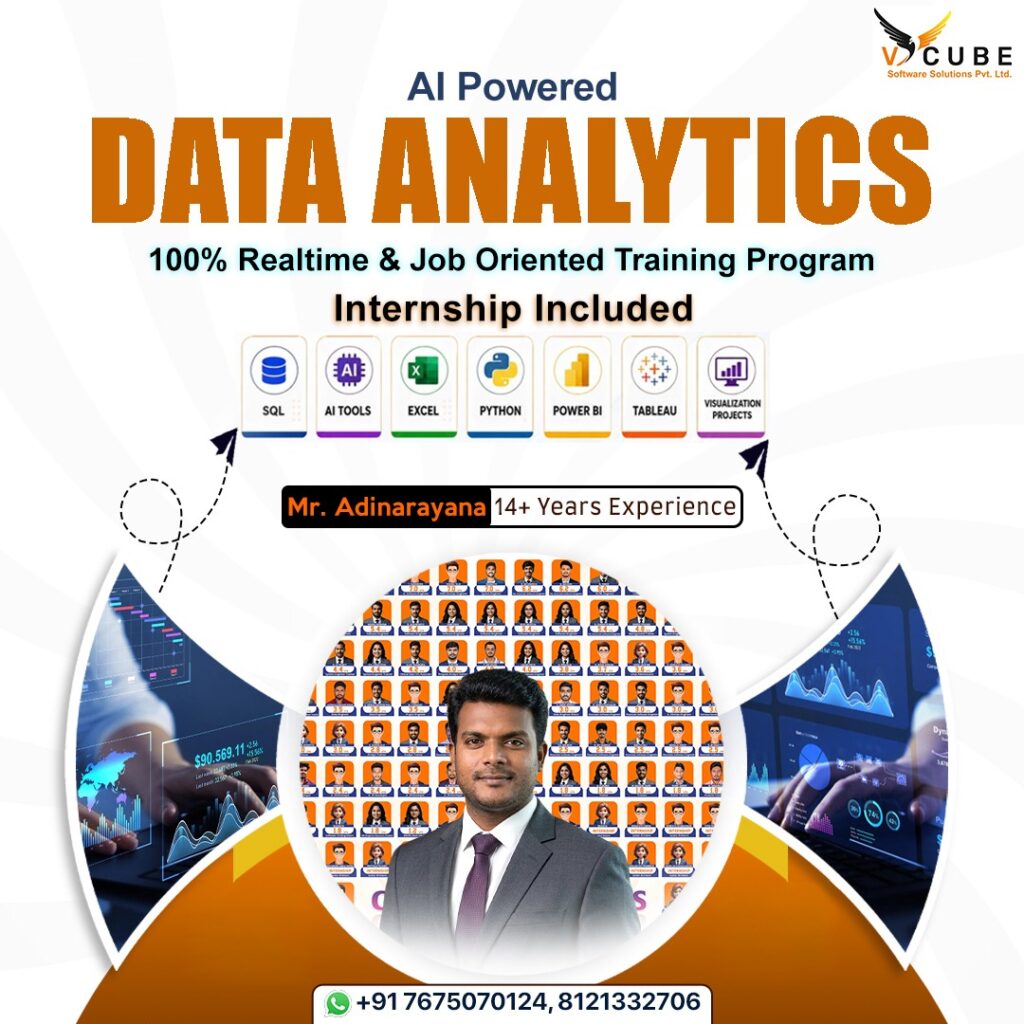
AI POWERED DATA ANALYTICS
AI POWERED DATA ANALYTICS
Course's Key Highlights
 100+ hours of learning Real-time industry professionals curate the course.
Internships and live projects
A cutting-edge training facility
Dedicated staff of placement experts
Placement is guaranteed 100 percent Assistance
28+ Skills That Are Useful in the Workplace
Trainers with a minimum of 12 years of experience
Videos and back-up classes
Subject Matter Experts Deliver Guest Lectures
Build a successful career in data analytics with our AI Powered Data Analytics Course in Hyderabad. Designed for freshers, graduates, and working professionals, this program covers Excel, SQL, Python, Power BI, Tableau, Generative AI, and Data Visualization through practical learning and real-time projects. Gain hands-on experience with industry tools, business case studies, and AI-powered analytics techniques that prepare you for today’s data-driven organizations. If you’re looking for the AI Powered Data Analytics Course in Hyderabad, V Cube Software Solutions provides expert training, live projects, and placement assistance to help you become an industry-ready Data Analyst.
Duration: 12-16 Weeks
Mode: Online / In-person / Hybrid
Target Audience: Fresh Graduates, Experienced Professionals, Job Seekers

Data Analytics with AI - Course Curriculum
Data Analytics (In simple words):
Data Analytics is the process of collecting, cleaning, and analyzing data to find useful insights that help in making
better decisions.
In simple terms:
“Turning raw data into meaningful information for decision-making.”
Tools Used in This Course
In this AI-Powered Data Analytics course, you will use tools like:
- SQL Server (data extraction & querying)
- Power BI (dashboard & visualization)
- Python (analysis & automation)
- Advanced Excel (data handling & reporting)
- Tableau (basic visualization)
- AI Tools (to automate and enhance analytics workflows)
Target Audience
This course is suitable for:
- Freshers starting a career in IT
- Students interested in Data Analytics, BI, or Software Development
- Working professionals moving into Data Analytics or BI roles
- Anyone who wants to learn Data Analytics from scratch
MICROSOFT SQL SERVER (SQL + T-SQL)
Overview
Microsoft SQL Server is one of the most widely used Relational Database Management Systems (RDBMS) in the
Microsoft ecosystem.
This module covers the fundamentals of SQL Server, focusing on querying, managing, and analyzing data using
SQL and T-SQL. Learners will understand how to work with relational databases and perform efficient data
operations. It prepares learners for real-world data extraction and transformation tasks.
Introduction to Basic Database Concepts
Introduction to SQL Server
SQL Commands and Constraints
Working with Clauses
SQL Server Functions
- Aggregate Functions
- String Functions
- Date Functions
- Null Functions
- Working with Window Functions
- Joins
- Set Operators
- Iterative Statements
- CTE’s and Sub Queries
- Views
- T-SQL
- Stored Procedures
- UDF(User Defined Functions)
- Triggers
- Indexes
- Query optimization techniques
- Normalizations
- Data warehouse concepts
POWER BI DESKTOP & MICROSOFT FABRIC
Introduction
This module provides hands-on experience in Power BI for data transformation, modeling, and visualization.
Learners will build interactive dashboards, write DAX, and understand modern BI practices using Microsoft Fabric.
It focuses on delivering insights through effective reporting and analytics.
Power BI Desktop:
- o Introduction and overview
- o Power BI Desktop Components
- o Building Blocks of Power BI
- o Data Connectivity Modes
- o Different Views in Power BI Desktop
Power Query Editor (ETL)
- Introduction and overview
- Table Row and Column Transformations / Properties
- Combine Queries
- Joins in Power Query
- Parameters
- Adding New Columns
Data Model Introduction (Semantic Model)
- Modelling Concepts
- Cardinality and Relationships
- Cross Filter Direction
- Semantic Model Management
DAX (Data Analysis Expressions)
- Core Concepts
- Row Context, Filter Context, Context Transition
- Operators
- Aggregation Functions
- Text Functions
- Filter Functions
- Calendar Functions
- Date & Time Functions
- Logical Functions
- Time Intelligence
- Information Functions
- Table Functions
- Relationship Functions
- Window Functions
- User-Defined Functions
DAX Query View
TMDL View
Power BI Report Development (Visualization & Presentation)
Introduction to Desktop Tabs and Panes
Introduction to Power BI Native Visuals:
- Bar & Column Charts, Line & Area Charts, Combo Charts
- Pie & Donut Charts
- Maps
- Tables & Matrices
- KPI Visuals
- Distribution & Rank
- Slicers
- AI Visuals
- Others
Report Development
Performance Optimization techniques
Row-Level Security (RLS)
Incremental Refresh
Deployment Process
Microsoft Fabric for Power BI
- Introduction
- Different Licences Available
- Collaboration
- Data Gateway
- Sharing Content
- Fabric Activities
- Lakehouse
- Warehouse
- Semantic Models
- Schedule Refresh
- Handling RLS
Data Storytelling & Business Communication
- Data Storytelling Basics
- Business Understanding
- Structuring Insights
- Data Visualization
- Business Communication
- Dashboard & Presentation
- AI in Storytelling
PYTHON FOR DATA ANALYTICS & PROGRAMMING
Introduction
This module introduces Python programming for data analysis, covering core concepts, data handling, and visualization. Learners will use libraries like Pandas, NumPy, and Matplotlib to analyze and process data. It enables practical, real-world data analysis using Python.
Python Fundamentals:
- Data Types
- Operators in Python
- Conditional Statements
- Loops
Data Structures
Functions in Python
Object-Oriented Programming (OOP)
Exception Handling
File Handling
Python Libraries for Data Analysis & Visualization
- Matplotlib
- NumPy
- Pandas
- Plotly
- Tkinter
Exploratory Data Analysis (EDA)
- EDA Fundamentals
- Univariate Analysis
- Bivariate Analysis
- Multivariate Analysis
- Correlation Analysis
- Data Quality Checks
- EDA Tools
Statistics for Data Analytics
- Descriptive Statistics
- Probability Fundamentals
- Distributions
- Sampling Techniques
- Inferential Statistics
- Hypothesis Testing
- Correlation vs Causation
- Regression Basics
- Business Applications
DATA ANALYSIS IN MICROSOFT EXCEL
Introduction
This module focuses on using Excel for data cleaning, analysis, and reporting. Learners will work with formulas,
pivot tables, and charts to generate insights. It builds essential skills for business reporting and data analysis.
Introduction to Microsoft Excel
Data Cleaning and Shaping
Excel Formula Fundamentals
- R1C1 referencing in Excel
- Relative and absolute references
- Manual and automatic formula calculations
- Basic formula writing best practices
Excel Functions
Aggregation Functions
- Text Functions
- Logical Functions
- Date & Time Functions
- Lookup Functions
- Math & Trigonometric Functions
- Statistical Functions
Conditional Formatting
Pivot Tables, Pivot Charts, and Slicers
Data Visualization in Excel
Power Query
Dashboard Design in Excel
Power Pivot & Data Model
TABLEAU IN DATA ANALYTICS
Introduction:
This module introduces Tableau for data visualization and dashboard creation. Learners will connect, analyze, and
present data using interactive visuals. It helps in building clear and impactful data stories.
- Introduction to Tableau
- Tableau Architecture
- Power BI vs Tableau
- Tableau Products
- Tableau Interface
- Main Components of Tableau
- Data Connection
- Organizing and Simplifying Data
- Calculated Fields
- Data Visualization in Tableau
- Filters & Advanced Options
- Data Combining Techniques
- Dashboards
- Actions in Tableau
AI IN DATA ANALYTICS
Introduction
This module explores how AI tools can enhance data analytics workflows. Learners will use tools like ChatGPT,
Claude and Copilot to automate tasks, generate insights, and improve productivity. It focuses on applying AI
across the analytics lifecycle.
Introduction to Generative AI
Generative AI for Data Analysts
Prompt Engineering for Analysts
Validation of AI Outputs
Data Privacy & Governance
A typical analyst workflow:
- Requirement → ChatGPT / Claude
- SQL → SQL Copilot
- Python → GithubCopilot + ChatGPT
- Insights → ChatGPT
- Dashboard → Power BI Copilot
Traditional vs AI Analytics
Analytics Lifecycle with AI
- AI in Data Collection
- AI in Data Cleaning
- AI in Transformation
- AI in Analysis
- AI in Visualization
- AI in Reporting
Real-Life Use Cases
- � Shopping apps → personalized product recommendations
- �️ E-commerce platforms → smart product suggestions based on user behavior
- � Hospitals → disease prediction using patient data
- � Healthcare → early diagnosis through AI models
- � Digital platforms → personalized user experience optimization
- � Apps → user behavior tracking and personalization
CAPSTONE PROJECTS
- Retail Sales & Customer Insights
- Banking Loan Risk Analysis
- Telecom Customer Churn Analysis
- Social Media Sentiment Analysis
- E-Commerce Funnel Analysis
- Sales Data Analysis Dashboard
- Healthcare system
- Weather Forecasting
End-to-End Project Workflow
Real-World Data Analytics Lifecycle
- Problem understanding
- Data extraction (SQL)
- Data cleaning (Python/Power Query)
- Modeling
- Visualization
- Insight generation
- Stakeholder communication
FAQ'S
Yes. You can start from the basics. The course is designed for people who want to learn Data Analytics from scratch, including freshers and students.
Yes. You don’t need to come from an IT background. With the right skills, regular practice, and project experience, you can prepare for a career in Data Analytics.
You will work with Excel, SQL, Python, Power BI, Tableau, data visualization, and AI for Data Analytics. The course also focuses on practical projects and business-based examples.
No. You don’t need to be an expert in coding before joining. You can start with the basics and gradually build your Python and SQL skills during the training.
Yes. The course includes internships, live projects, business case studies, and capstone projects such as sales analysis, customer churn, loan risk, and e-commerce analysis.
The VCube AI-Powered Data Analytics course has a duration of 12–16 weeks. It is available in online, in-person, and hybrid modes.
Yes. Data Analytics can be a good starting point for freshers who enjoy working with data, finding useful information, and creating reports and dashboards. Building practical skills and projects can help you prepare for job opportunities.
Yes. The course page mentions placement assistance, resume preparation, mock interviews, career mentoring, and live project experience.
AI can help with tasks such as data cleaning, writing queries, finding insights, creating reports, and improving day-to-day work. The course also covers how AI can be used across the Data Analytics process.
Yes. The course page mentions placement assistance, resume preparation, mock interviews, career mentoring, and live project experience.
VCube offers AI-Powered Data Analytics training in Hyderabad, with Data Analytics listed at its KPHB Phase 1, Kukatpally location. Online and hybrid learning options are also available.
Data Analytics With AI
Are you ready to launch a successful career in Data Analytics?
Join Vcube Software Solutions, one of the best data analytics training institutes in Hyderabad, offering job-oriented and industry-focused training programs. Our course covers everything from Data Analytics using Python, Data Analysis with Excel, SQL for Data Analytics, Power BI, Tableau, and machine learning basics, designed to make you job-ready from day one. Whether you’re a beginner or looking to upskill, our data Analytics course with 100% placement assistance ensures you gain hands-on experience through real-time data analytics projects and assignments that reflect industry scenarios.
We specialize in delivering data analytics certification training in Hyderabad through a practical approach with mentorship from expert trainers. Learn how to collect, clean, analyze, and visualize data using tools like Power BI, Python, and Excel, and understand how to make business decisions using data insights. With our offline and online training options, flexible batch timings, and personalized career support, Vcube is the preferred choice for professionals and freshers alike looking for data analytics classes near me.
Gain access to resume preparation, mock interviews, live project experience, and career mentoring — all under one roof. Transform your future with the best data analytics course in Hyderabad at Vcube Software Solutions.
Upskill & Reskill For Your Future With Our Software Courses
Best Data Analytics Institute In Hyderabad
Quick Links
Other Pages
Contact Info
- 2nd Floor Above Raymond’s Clothing Store KPHB, Phase-1, Kukatpally, Hyderabad
- +91 7675070124, +91 9059456742
- contact@vcubegroup.com