AZURE DEVOPS
Azure DevSecOps with Integrated AI & Python
Introduction:
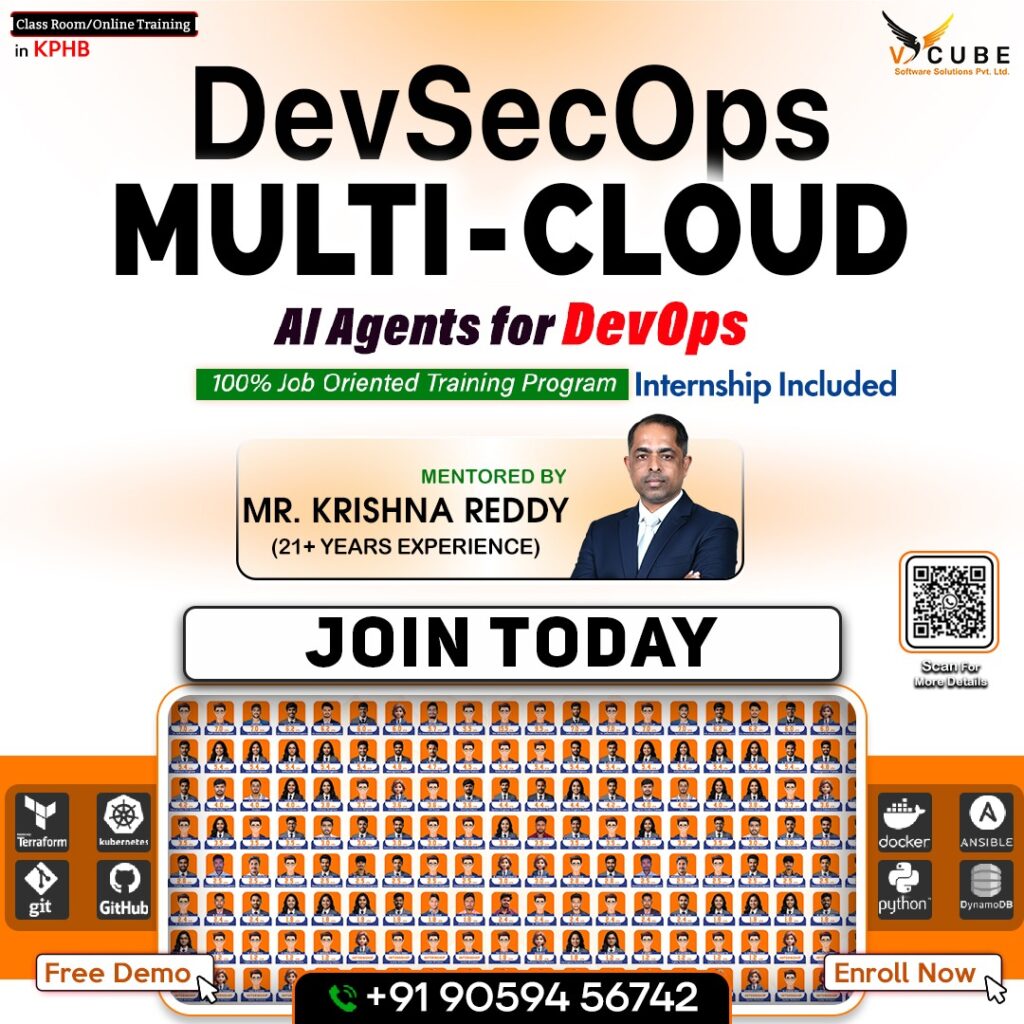
Welcome to the Cloud and DevOps Mastery course!
In today’s fast-evolving tech landscape, mastering cloud infrastructure and DevOps methodologies is critical
for building robust, scalable applications. This comprehensive course offers a structured learning path, covering essential tools and platforms such as Microsoft Azure, Kubernetes, Docker, and Terraform, alongside AI-driven tools like GitHub Co-pilot and Kubectl AI.By combining theoretical concepts with practical labs and real-world projects, this course equips you with the skills to design, deploy, and optimize cloud-native solutions. Whether you’re a beginner or an experienced professional, this syllabus will guide you through a transformative learning journey.
Course Duration: 4.5 – 5 Months
Projects: 21+ Real-Time, Industry-Level Projects


Course Description:-
- This course offers a comprehensive learning path into Cloud Computing, DevOps, and DevSecOps, integrating
- AI-powered automation and Python scripting.
- It combines platforms such as Azure, Kubernetes, and Terraform, along with modern security and
- compliance tools like Checkov, Trivy, and Gitleaks.
- Through hands-on labs and real-time industrial projects, learners will develop expertise in architecting,
- deploying, and securing scalable cloud-based systems.
Learning Objectives:
By the end of the course, learners will be able to:
- Understand and implement IaaS, PaaS, SaaS models in Azure.
- Apply DevOps & DevSecOps practices with Azure DevOps, Harness, and SonarQube.
- Master containerization and orchestration using Docker, Kubernetes, and Helm.
- Automate infrastructure using Terraform and Ansible.
- Integrate security scanning tools such as Checkov, Trivy, and Gitleaks in CI/CD pipelines.
- Build and manage AI-driven operations (AIOps) for intelligent monitoring and alerting.
- Gain hands-on experience through 21+ industrial-grade projects.
Recommended For:
- Developers and DevOps Engineers transitioning into Cloud Security roles.
- IT professionals aiming to specialize in Azure-Cloud Automation and DevSecOps.
- Students aspiring to gain real-world project exposure across Azure and Kubernetes ecosystems.
Resources:
1. Spacious Classrooms:
- Modern, air-conditioned classrooms with comfortable seating for an optimal learnin experience.
- Fully equipped with projectors and whiteboards to support interactive and engaging sessions.
- Provides an ideal environment for focused learning, teamwork, and group discussions.
2. Class Schedule:
- Regular Classes: 1 hour daily (Monday to Friday).
- Flexible Practice Slots: Available for all batches to enhance practical exposure.
- Real-Time Project Environment: Simulates industry-level work experience for better skill application.
3. Practice Labs:
- Spacious, dedicated lab designed for extended hands-on sessions.
- Open Access: 8:00 AM – 7:00 PM (Monday to Saturday).
- Mandatory Lab Practice: Every student must complete a minimum of 2 hours of lab practice daily.
- Continuous Mentor Support: Available during lab hours to provide personalized guidance with “Junior Trainers”
- Saturday Sessions: Include weekly exams or mock interviews to reinforce learning and assess progress.
4. Dedicated HR Support:
- Placement & Career Development Team: Focused on helping students secure the right job
- opportunities through resume building, interview preparation, and placement drives.
- Training & Development HR Team: Dedicated to continuous student development through
- skill enhancement programs, professional grooming, and soft-skill workshops.
Course Outline
Module 1: AI Agent – GitHub Co-pilot Workspace:
- Introduction to GitHub Co-pilot and setup.
- Integrating Co-pilot for AI-assisted coding in VS Code.
- Generating code, YAML, and scripts using Co-pilot.
- Leveraging Co-pilot for IaC and automation.
Module 2: AI Chatbox – Claude:
- Introduction to Claude AI chatbox.
- Working with Claude for conversational AI.
- Prompt engineering based on specific requirements.
Module 3: AI Deployment – Harness:
- Introduction to Harness CI/CD with AI.
- Building pipelines for intelligent deployments.
- Automated rollback and anomaly detection.
- Deploying applications using Harness.
Module 4: Azure AI Foundry:
- Introduction to Azure AI Foundry.
- Architecture of Azure AI Foundry.
- Building and deploying AI Agents in Azure AI Foundry.
- Integrating AI models into DevOps workflows.
- Working with Hubs, Projects, and AI Playgrounds.
Module 5: Kubectl AI:
- Introduction to Kubectl AI for Kubernetes.
- Using AI – powered natural language commands to manage Kubernetes clusters.
- Enhancing efficiency in Kubernetes operations.
Module 6: AIOps for Cloud & DevOps:
- Understanding AIOps and predictive analytics.
- Implementing AI-driven log analysis and alerting.
- Auto-healing using cloud-native AIOps.
Module 7: AI for IaC:
- Generating and validating Terraform/Ansible code with AI.
- Auto-documentation and linting.
- Policy compliance checks via AI tools.
Module 8: AI for Kubernetes Troubleshooting:
- Why K8s troubleshooting is hard (pods failing, networking issues, scaling problems).
- How AI tools help.
- Kubectl AI Plugins.
- K8sGPT – AI powered troubleshooting for Kubernetes clusters.
- Azure OpenAI + K8s logs for Root Cause Analysis (RCA).
Module 9: GitHub Co-pilot & AI Pair Programming:
- What is GitHub Copilot?
- How to set up Copilot for Powershell, Bash, Terraform, Kubernetes, and YAML files.
- Prompt engineering for DevOps: Writing better prompts for IaC & CI/CD.
Module 10: Azure Cloud Services:
1. Introduction to Azure Cloud Infrastructure:
- Overview of Cloud Technology
- Setting up a free – tier Azure account.
- Understanding subscriptions and tenants.
- Exploring IaaS, PaaS, and SaaS models.
2. Implementing and Managing Azure Networking:
- Overview of Azure Networking.
- Implementing and managing Azure virtual networks.
- Configuring virtual networks, subnets, and connectivity.
- Configuring Virtual Network Region and Global Peering.
- Understanding Azure to on-premises connectivity.
- Deploying Azure Virtual Network Gateway.
- Configuring User Defined Routes (UDR).
- Setting up Azure Virtual Network Gateway with AWS over IPSec VPN.
- Implementing Azure Service Endpoints.
- Understanding Hub and Spoke architecture.
3. Understanding and Configuring Network Security Groups (NSG):
- Overview of Azure NSGs.
- Creating and updating inbound/outbound security rules.
- Understanding NSG rule hierarchy and priority.
- Creating NSG rules with service tags.
- Understanding and creating Application Security Groups (ASG).
4. Implementing & Configuring Azure Virtual Machines:
- Overview of Azure virtual machines.
- Deploying virtual machines via Azure portal and CLI.
- Managing virtual machine storage.
- Understanding Availability Sets, Fault Domains, and Update Domains.
- Placing virtual machines in Availability Sets.
5. Designing & Implementing Azure Load Balancing:
- Overview of load balancing.
- Types of Azure load balancers (Basic vs. Standard).
- Configuring Azure Standard Load Balancer.
- Implementing Azure DNS.
- Buying and configuring a domain with GoDaddy.
- Creating DNS zones and records (A, CNAME).
- Load balancing across Availability Sets.
6. Configuring Azure Application Gateway:
- Understanding Azure Application Gateway architecture.
- Configuring path-based routing and SSL offloading.
- Setting up multiple VMs with Application Gateway.
7. Configuring Auto Scaling with Virtual Machine Scale Sets (VMSS):
- Understanding Azure VMSS
- Creating custom VM images for VMSS
- Deploying and stress-testing VMSS
- Observing auto-scaling behavior
8. Planning & Implementing Azure Storage:
- Overview of Azure Storage accounts.
- Understanding Blob Storage and File Shares.
- Configuring Azure FileSync.
- Data migration using Azure Storage Explorer.
- Managing storage permissions.
- Deploying static websites with custom domains
9. Backup & Disaster Recovery:
- Overview of backup and disaster recovery.
- Backing up VMware servers, Azure VMs, and Azure SQL.
- Configuring Azure replication and failover groups.
- Setting up Azure disaster recovery vault.
- Implementing a full BCDR strategy.
10. Planning & Implementing Azure SQL Database:
- Azure SQL Database (PaaS) vs. SQL Database (IaaS).
- Structured vs. unstructured data.
- Understanding DTUs in Azure SQL.
- Configuring global replication and failover groups.
11. Implementing Azure App Services:
- Overview of Azure Web Apps (PaaS).
- Deploying and managing web apps.
- Configuring Azure App Service plans and deployment slots.
- Scaling and ensuring resilience.
12. Configure Diagnostics, Monitoring, and Analytics:
- Setting up Azure monitoring and alerts.
- Using Log Analytics.
- Introduction to Azure Key Vault.
- Creating and managing vaults, secrets, and credentials.
- Integrating vaults with Azure Pipelines.
- Configure and manage VMs, storage, and networks.
- Integrate Key Vault, Log Analytics, and ELK Stack.
- Centralized logging and analytics.
Module 11: Infrastructure as Code (IaC) – Terraform + Checkov:
- Introduction to Terraform and infrastructure automation.
- Installing Terraform.
- Understanding providers, resources, and basic syntax.
- Writing your first Terraform script (main.tf).
- Exploring Terraform Plan, Show, Apply, and Destroy.
- Using Terraform Registry, console, and outputs
1. Terraform Variables & Modules:
- Breaking down main.tf into variables.tf and output.tf.
- Introduction to Terraform modules.
- Creating and using basic modules.
- Exploring module repositories.
2. Terraform with Azure – Lab Part 1:
- Setting up systems for Azure.
- Creating storage accounts and resource groups.
- Managing remote state and data sources.
- Working with state files and templates.
3. Terraform with Azure – Lab Part 2:
- Setting up virtual networks and subnets.
- Configuring NSGs on Azure.
- Checkov Integration:
- Introduction & Fundamentals.
- Installation & Basic Usage.
- Deep Dive into Policies & Rules.
- Use Cases & Hands-On Labs.
Module 12: DevOps – Azure DevOps + Gitleaks:
1. Introduction to DevOps:
- Understanding DevOps concepts and history.
- Exploring DevOps methodologies: Agile, Scrum, Waterfall.
2. Azure DevOps Introduction:
- Overview of Azure DevOps Services.
- Setting up a free-tier Azure DevOps account.
- Creating Azure Projects.
- Navigating the Azure DevOps Overview tab.
- Scenario – based interview questions and solutions.
3. Azure Work Item Management:
- Understanding Azure DevOps Boards.
- Creating and managing work items.
- Backing up and migrating work items.
- Customizing iteration paths and board views.
4. Repository Management:
- Introduction to repository management.
- Centralized vs. distributed version control.
- Basic and advanced Git commands (cherry-picking, rebase, stash).
- Git security with Talisman (pre-commit/pre-push hooks).
- Analyzing Talisman reports.
5. Azure Repos:
- Introduction to Azure Repos.
- Creating multi-branch repositories.
- Cloning, forking, and managing commit history.
- Advanced pull request concepts (merge, squash, rebase).
- Tag creation, security, and policies.
6. Azure Service Connections and Agent Pools:
- Understanding service principals and connections.
- Creating service connections.
- Hosted vs. self-hosted agent pools.
- Setting up self-hosted agent pools.
7. YAML and Azure Pipelines:
- YAML syntax and data types.
- Understanding continuous integration (CI).
- Creating build pipelines for ASP.NET, Java Spring Boot, and SQL DACPAC projects.
- Configuring build triggers, variables, and filters.
- Using deployment groups, environments, and task groups.
8. Release Pipelines:
- Understanding continuous deployment and delivery.
- Creating classic and YAML release pipelines.
- Deploying ASP.NET, Java, and SQL DACPAC applications.
- Deployment strategies.
9. Maven and Build Pipeline Security:
- Introduction to Maven for Java builds.
- Setting up SonarQube for static code analysis.
- Integrating SonarQube with Java pipelines.
- Creating custom publish gates and analyzing reports.
10. Azure Artifacts:
- Creating and managing private feeds.
- Packaging and pushing dependencies to feeds.
11. Azure Settings:
- Organization and project settings.
- Azure Active Directory integration.
- Managing permissions, users, groups, and retention policies.
- Gitleaks Integration:
- ➢ Introduction & Fundamentals.
- ➢ Installation & Basic Usage.
- ➢ Configuration & Custom Rules.
- ➢ Integrating into CI/CD & Developer Workflows.
Module 13: Docker + Trivy:
1. Docker Engine Installation:
- Manual and automated deployment on Ubuntu/CentOS.
- Understanding Docker Desktop vs. Server.
- Version checks and default locations.
2. Docker Architecture:
- Docker daemon, client, registry, and objects.
- Managing images and containers.
- Deploying sample applications (e.g., web servers).
3. Docker Networking:
- Understanding IP, subnets, CIDR, and network types (host, bridge, null, overlay).
- Overview of Docker Network Plugins.
4. Docker Storage:
- Ephemeral vs. persistent storage.
- Bind and volume mounts.
- Building and managing custom images with Dockerfiles.
- Storing images in Docker Hub.
- Trivy Integration:
- ➢ Introduction & Fundamentals.
- ➢ Installation & Basic Usage.
- ➢ Scanning Targets & Advanced Options.
- ➢ Integrating Trivy into CI/CD & DevSecOps Pipelines.
Module 14: Kubernetes + Security:
- Introduction to Kubernetes.
- Understanding Kubernetes architecture and namespaces.
- Installing and configuring Kubernetes.
- Managing ReplicaSets, Services, Load Balancers, and Ingress.
- Configuring volumes and namespaces.
- Exploring Azure Kubernetes Service (AKS).
Module 15: Ansible Automation:
- Installing and configuring Ansible.
- Managing inventory files and modules.
- Using Ansible Galaxy and Roles.
- Integrating Ansible with Azure DevOps pipelines.
Module 16: Containerization Security & Monitoring:
1. Helm Charts:
- Introduction to Helm Charts.
- Installation and basic commands.
2. Monitoring (Prometheus and Grafana):
- Setting up monitoring stacks.
- Configuring Prometheus and Grafana.
- Analyzing and visualizing metrics.
- Monitoring & Observability:
- ➢ Introduction & Fundamentals.
- ➢ Setup & Installation.
- ➢ Monitoring & Alerting Use-Cases.
- ➢ Visualization & Dashboards.
Module 19: Python for DevOps:
1. Python Introduction:
- Why Python for DevOps.
- Installing Python and setting up the environment.
- Writing and executing Python scripts.
2. Datatypes, Variables, and Best Practices in Python:
- Understanding Python datatypes (int, float, string, list, tuple, dict, set).
- Variable declaration and best practices.
3. Functions and Modules in Python:
- Defining and calling functions.
- Understanding function arguments (positional, keyword, default).
- Creating and importing modules.
- Using built-in and third-party Python modules.
4. Control Statements and Loops in Python:
- If-else conditions.
- For and while loops.
- Loop control statements (break, continue, pass).
5. File Handling in Python:
- Reading and writing files (open(), read(), write()).
- Working with JSON and CSV files.
- File handling best practices.
6. Python Socket Library:
- Understanding socket programming.
- Creating a simple client-server connection in Python.
7. Docker SDK for Python:
- • Introduction to the docker-py library.
- • Automating Docker container management using Python.
- • Running and managing containers programmatically.
8. Kubernetes with Python:
- Using Python Kubernetes-client SDK.
- Automating Kubernetes deployment using Python.
- Managing Kubernetes resources (pods, deployments, services).
Real-Time Industrial Projects (21+ Projects):
1. Azure Pipelines:
- End-to-end CI/CD pipelines for various applications.
2. Docker:
- Deploying multi-container applications.
3. Kubernetes:
- Deploying custom .NET applications on pods.
4. Terraform:
- Deploying Azure App Service with Terraform.
Course Duration:
- Estimated Duration: 5Months (depending on pace and prior experience).
- Weekly Commitment: Exam, Mock interviews, including lectures, labs, and projects.
Learning Methodology:
- Lectures: Interactive sessions covering theoretical concepts.
- Hands-On Labs: Practical exercises to reinforce learning.
- Real-Time Projects: Industry-relevant projects to build a portfolio.
- Assessments: Quizzes and scenario-based questions to evaluate progress.
- Community Support: Access to forums and instructor Q&A sessions.
Certification:
- Upon completion, participants earn the Azure Cloud-DevSecOps Mastery Certificate from V Cube Software
- Solutions, validating expertise in Cloud, DevOps, Security Automation, and AI-driven tools.
Course's Key Highlights
 100+ hours of learning Real-time industry professionals curate the course.
Internships and live projects
A cutting-edge training facility
Dedicated staff of placement experts
Placement is guaranteed 100 percent Assistance
28+ Skills That Are Useful in the Workplace
Trainers with a minimum of 12 years of experience
Videos and back-up classes
Subject Matter Experts Deliver Guest Lectures
Why learn Azure DevOps Training with V CUBE Software Solutions?
Azure Devops Training in Hyderabad
V CUBE is one of the leading software training institutes, specializing in a variety of software courses as well as Azure DevOps online training in Hyderabad. V CUBE Software Training Institute is located in Kphb, Hyderabad. We have approximately 500 students who have been placed in top MNC businesses. We help people get their dream profession by combining a tech career with actual programming and IT skills. Our instructors have a total of more than 15 years of experience. Our trainers work in top MNC organizations, and we provide job-oriented training, and career assistance programs, and require students to work on two real-world projects to gain hands-on experience. The main goal of this training is to provide users with a solid understanding of how to utilize DevOps to explore and analyze data. Here at V CUBE, our Instructors lead the Azure DevOps online course intending to teach you how to manage Azure subscriptions, create diagnostic settings, manage resource groups, configure Virtual Machines (VMs), and more. We make sure that students obtain real-world experience by having our trainers work in top MNC firms, providing job-oriented training, and career guidance programs, and requiring students to work on two real-world projects to gain hands-on experience. The major purpose of this training is to give users a working knowledge of exploring and analyzing information. We Provide DevOps Certification online, we make sure every student gets the Best Training Possible as the classroom contains only Limited Students the Trainers can concentrate on every Student’s Performance and analyze them, and guide them Individually. Join Azure Devops Training in KPHB now and Upgrade your Skills we offer online Devops certification.
What is Azure Devops?
Azure Devops Training in KPHB
Azure DevOps toolchain is an agnostic DevOps toolchain that includes a language, platform, and cloud provider. It’s a SaaS platform that provides an end-to-end DevOps toolchain for developing and deploying applications. It has a high degree of application integration flexibility, which means it can easily interface with practically all of the main apps on the market, making it very appealing from a development and cost standpoint. The Azure DevOps online course is built on a multi-tier, scalable design and uses Windows Communications Foundations web services for its architecture. With DevOps, customers can plan smarter, collaborate more effectively, and ship faster thanks to a set of cutting-edge development services. Users can utilize DevOps to combine resources, processes, and technology to quickly develop and deliver creative products to their customers. Azure DevOps includes services like Azure Boards, Azure Pipelines, Azure Repos, Azure Artifacts, and Azure Test Plans, among others. This means that users’ productivity and efficiency can be increased significantly without having to worry about the nitty-gritty of technical paradigms or spending money on expensive third-party extension solutions. The nicest feature about DevOps is that it’s extremely versatile and platform agnostic, meaning it can run on any platform (such as Linux or MacOS), any language (such as C, C++, Java, Python, and others), and any Cloud platform. It also easily supports the most widely used tools on the market. Reliability, scalability, access to the latest features (every 3 weeks), and the end of the upgrade cycle are only a few of the primary advantages offered by DevOps. Start Your Career with Azure DevOps Training, Which will get you a job with 4 to 13 LACS. Now is the time to enroll in Azure DevOps course in Hyderabad and improve your skills.
Why Azure DevOps course is needed?
The software development process can be a very manual one, which leads to a large amount of code errors. Software delivery can be slowed and business stakeholders are disappointed when development and operations teams are out of sync. DevOps increases efficiency in all aspects of software development, deployment, and maintenance.
Increased visibility, more precise requirements, enhanced communication, and a shorter time to market are all benefits of connecting development and operations. Get Azure DevOps online training for more details. Fill out the below form our Team will assist you in 24 hours.
How long does it take to learn the Azure DevOps course?
Microsoft DevOps course is a software development method that encourages collaboration between development and operations, resulting in more dependable and faster software delivery. DevOps often known as a culture, brings people, processes, and technology together to deliver continuous value. Here at V CUBE Software Solutions for Azure DevOps training, we provide a 45-day course for Azure DevOps online certification. The Microsoft Azure platform is where the computing process has been decentralized. This system includes both database and application features. It also aids in the expansion of the business and lowers costs. Azure DevOps online course has been designed in such a manner that all students will be able to learn how to build apps on the Microsoft cloud computing platform, and this Cloud Architect certification will help them do just that (AWS & Azure). Get Azure Devops Training in Kukatpally for more details Fill out the below form our Team will assist you in 24 hours.
What are the career opportunities for a DevOps course?
Azure DevOps has risen to the top of the business analytics market. Devops-certified professionals are in high demand at most MNCs and larger enterprises right now. Full-time DevOps positions are available, as well as opportunities to work for prominent firms. Demand for DevOps and its Future Scope One of the reasons why DevOps stands out among BI solutions is the vast range of connectivity options—starting with spreadsheets, databases, and even big data. It is one of the on-demand courses/tools. Many businesses require Azure DevOps developers. Simply searching Azure DevOps on any of the job boards will yield a plethora of results.
Classroom Training
 Get classroom training from industry experts at V CUBE Software Solutions in Kukatpally Why Wait? Jump Start your Career by taking Azure DevOps Training in Hyderabad!
What is the salary range for Azure DevOps?
In the business analytics sector, this has gone to the top. At the moment, most MNCs and larger companies are looking for DevOps-certified professionals. Full-time jobs, as well as opportunities to work for well-known companies, are available. The Future of DevOps The enormous range of connectivity options—starting with spreadsheets, databases, and even big data—is one of the reasons DevOps stands out among BI solutions. Azure DevOps Engineer salaries in India range from 4.3 Lakhs to 13.0 Lakhs per year, with an average annual salary of 6.0 Lakhs. Salary estimates are based on 461 DevOps Engineer salaries.
What is Azure DevOps good for?
Azure DevOps provides developer services for allowing teams to plan work, collaborate on code development, and build and deploy applications. This supports a collaborative culture and set of processes that bring together developers, project managers, and contributors to develop software. It is a set of services, apps, and connections that work together to turn your heterogeneous data sources into coherent, visually immersive, and interactive insights. An Excel spreadsheet or a collection of cloud-based and on-premises hybrid data warehouses might likewise be used to demonstrate your knowledge.
What is Azure DevOps good for?
Azure Devops Training Institute in Hyderabad
Azure DevOps provides developer services for allowing teams to plan work, collaborate on code development, and build and deploy applications. This supports a collaborative culture and set of processes that bring together developers, project managers, and contributors to develop software. It is a set of services, apps, and connections that work together to turn your heterogeneous data sources into coherent, visually immersive, and interactive insights. An Excel spreadsheet or a collection of cloud-based and on-premises hybrid data warehouses might likewise be used to demonstrate your knowledge.
Description of the AZURE DEVOPS
DevOps is the union of people, processes, and technology to continuously provide value to customers. It is a compound of development (Dev) and operations.
What does DevOps imply for organizations? DevOps enables previously separate roles—development, IT operations, quality engineering, and security to coordinate and collaborate to create better, more reliable products. Adopting a DevOps culture, as well as DevOps practices and tools, allows teams to better respond to customer needs, increase confidence in the applications they build, and achieve business goals more quickly.
FAQ'S
Yes. You can start with the basics of cloud and DevOps and gradually move into practical work. The course is designed for beginners as well as working professionals.
Yes. You can start from the basics and build your knowledge step by step. Learning cloud, DevOps, networking, and automation can help you prepare for this career path.
You don’t need to be an expert in coding before joining. The course also includes Python and scripting, so you can build the required skills during the training.
You will learn Azure cloud, DevOps, deployment, automation, security, containers, infrastructure management, Python, and AI-based operations.
Yes. The course includes hands-on labs and 21+ real-time industry-level projects, giving you opportunities to practice what you learn.
Yes. Freshers who are interested in cloud, deployment, automation, and IT operations can consider Azure DevOps as a career option. Practical skills and project experience can help you prepare for job opportunities.
Yes. The current course includes AI-based coding, AI for cloud operations, AI-assisted automation, monitoring, and troubleshooting.
The current VCube Azure DevOps course is listed with a duration of 4.5–5 months.
Yes. The course page mentions a dedicated placement and career development team that supports students with resume building, interview preparation, and placement drives.
VCube offers Azure DevOps Training in Hyderabad, with its training centre in KPHB Phase 1, Kukatpally. The course also provides practical lab access for students.
Upskill & Reskill For Your Future With Our Software Courses
Best Azure DevOps Training in Hyderabad
Quick Links
Other Pages
Contact Info
- 2nd Floor Above Raymond’s Clothing Store KPHB, Phase-1, Kukatpally, Hyderabad
- +91 7675070124, +91 9059456742
- contact@vcubegroup.com