
Java Full Stack Developer
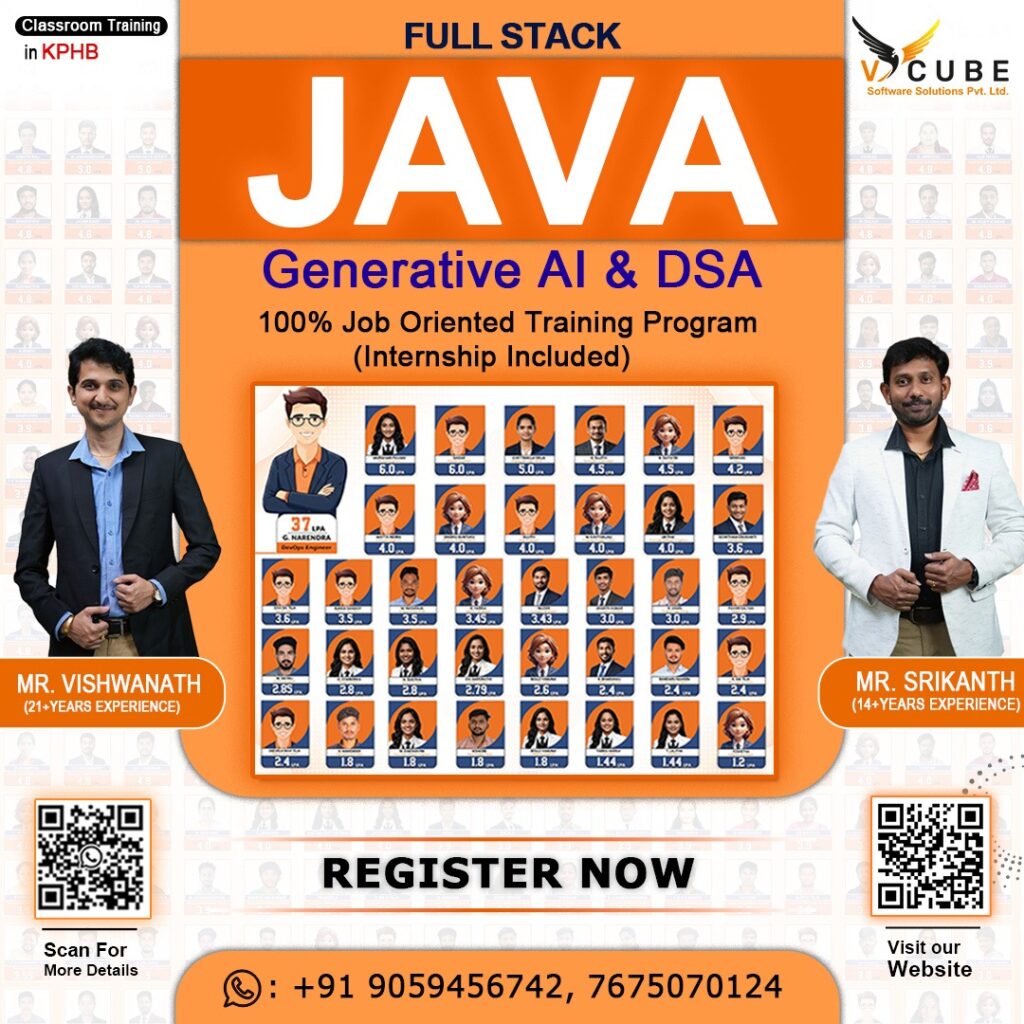
JAVA FULLSTACK WITH GEN AI(SPRING AI) & DSA
JAVA FULL STACK Course's Key Highlights
 100+ hours of learning Real-time industry professionals curate the course.
Internships and live projects
A cutting-edge training facility
Dedicated staff of placement experts
Placement is guaranteed 100 percent Assistance
28+ Skills That Are Useful in the Workplace
Trainers with a minimum of 12 years of experience
Videos and back-up classes
Subject Matter Experts Deliver Guest Lectures
Build a successful software development career with our Java Full Stack with Gen AI (Spring AI) & DSA Course in Hyderabad. This industry-focused program is designed for freshers, graduates, and working professionals who want to master Java, Spring Boot, Microservices, React.js, databases, data structures and algorithms, and AI-powered application development. Through live projects, hands-on coding sessions, and expert guidance, you’ll gain the practical skills needed to become a confident Full Stack Java Developer. If you’re looking for the Java Full Stack Course in Hyderabad, V Cube Software Solutions offers the perfect blend of technical training and placement support.

Core Java (J2SE) (Java 2 Standard Edition)
1) Java Introduction.
- Small History of Java.
- Why we need to Learn Java, What is Java and Where we are using it in RealTime.
- Java Terminologies and explanation.
- JDK Download and Installation and Setup for Programming.
- Write a Simple Java Program using Notepad++ and command prompt with
- detailed Explanation.
- Eclipse Download, Installation and Setup.
- Write a Simple Program using Eclipse with creating
- a workspace, project and Package with classes.
- JVM Architecture with Diagrammatic and Programming Explanation.
2) Language Fundamentals.
- What are the Identifiers and Rules for it?
- 50 Java Keywords with Explanation.
- What are the Different data types in Java?
- What are the Literals in Java?
- Types of variables.
- Var arg methods.
- What Exactly Arrays and Why we need to Learn Arrays with 15+ Examples.
- main(String largs) method with command line arguments and Java Coding standards.
- Java Constructors.
3) Operators
- Arithmetic Operators:
- Unary Operators:
- Assignment Operators:
- Relational Operators:
- Logical Operators:
- Bitwise Operators:
- Ternary Operator:
- Shift Operators:
- instanceof operators
4) Access Modifiers.
- private, protected, undefined(default) and public with Programmatic Examples.
- static, strictfp, synchronized and abstract with Programmatic Examples.
- final, transient, volatile and native with programmatic examples.
5) Object-Oriented Programming Concepts.
- Why we need to learn Oops Concepts.
- What Exactly the Oops Concepts?
- Where are we using Oops Concepts in real time?
- Encapsulation with examples of demo programming.
- Abstraction with examples of demo programming.
- Inheritance with examples of demo programming.
- Polymorphism with examples of demo programming.
6) Logical Statements.
- All logical statements like if, else, for, while, do, switch,
- case, continue, break and default with 10+ Examples.
7) Exception Handling
- Exception Handling Introduction.
- Explain the Throwable from java. lang package.
- Explain the differences between Exception and Error.
- Explain the differences between Checked Exceptions and Unchecked Exceptions.
- Explain the try, catch, finally, throw and throws with 10+ example programs.
- Customized Exception with 2+ example programs.
8) String Handling
- String Handling Introduction.
- Differences between String Literals and String Objects.
- String methods with 15+ practical programs.
- Differences between String, StringBuffer and StringBuilder.
- 10+ Interview Programs on String Handling.
9) File IO
- Fille Introduction
- Explain the File, FileWriter, FileReader, BufferedWriter, BufferedReader and PrintWriter with 7+ example Programs.
- Explain Serialization and DeSerialization with example Programming.
10) Multithreading
- MultiThreading Introduction.
- What exactly is the Thread Scheduler?
- Difference between t.start() and t.run().
- Importance of Thread class start().
- Overloading of run() method.
- If we are not overriding the run() method.
- Overriding the start() method.
- Life Cycle of a Thread.
- Which is the best approach to define a Thread
11) Collections framework
- Collections Introduction and why we need to learn Collections Framework.
- Differences between Collections and Arrays.
- Collections Hierarchy with detailed explanation.
- Explain the java.util packages with all interfaces and
- classes, almost 25+ example programs.
- Hashmap Internal Implementation.
12) Java 8 features
- Lambda Expressions.
- Functional Interfaces (FI).
- Functional Interfaces wrt Inheritance.
- LambdaExpression with the FI.
- LambdaExpression vs MultiThreading.
- LambdaExpression vs Collections.
- Anonymous Inner class vs Lambda Expression.
- Default methods and static methods.
- Predefined Functional Interfaces.
- Double colon Operator (::) – Method reference, Constructor Reference
- Streams API
- Date and Time API
- Optional Class
- Nashorn JavaScript Engine
13) Java 11 and 17 features.
14) Design patterns
- Singleton Patterns.
- Factory Pattern and Abstract Factory Pattern.
- Builder Pattern
- Prototype Design Pattern.
Advanced java : (J2EE : Servlets and JSP)
15) Servlets
- Introduction to Web
- MVC Introduction
- Web – Port, HTTP, Get, Post, Container, Web vs Application Server.
- Client Server Architecture.
- Deployment Descriptor.
- HTML Pages
- Content Type MIME Types.
- Introduction to Servlet
- GenericSevlet, HttpServlet and Servlet Life Cycle
- Creation of model
- Getters and Setters
- Reflection API
- Storing and Manipulation with DB, SQL Injection
- Statements vs Prepared Statements and ResultSet
- Servlet API (Javax and Jakarta)
- How a Servlet application work
- Servlet Life cycle.
- Tomcat Server Download and install for Web Application Deployment.
- Steps to Create Servlet using Tomcat Server.
- Creating First Servlet Application using Eclipse IDE.
- Request and Responses using below
16) JSP
- JSP Life Cycle — Introduction, Phases, Methods
- Run JSP Program — How to Run JSP Program on Tomcat Server in Eclipse
- JSP Elements — JSP Declaration, JSP Syntax, JSP Expression, JSP Comments
- JSP Directives — Page, Include & Taglib Tutorial
- JSP Implicit Objects.
- JSP Standard Action Tags — include, useBean, forward, param
- What is Expression Language (EL)? — JSP Expression Language (EL)
- Exception Handling in JSP — Try Catch
- MVC Architecture in JSP — Learn with Example
- JSTL (JSP Standard Tag Library) Tutorial — Core & Custom Tags Examples
- Cookies in JSP — Learn with Example
- JSP Action elements — client request, server response, HTTP status codes
- JSP Form Processing — JSP Form Processing Using getParameter()
- JSP Filters — Web.xml Filter Mapping in JSP Servlet
- JSP Date Handling — JSP Current Date and Time
- JSP Database Connection — Select, Insert, Update & Delete Example
- JSP Program Examples — Registration & Login Form
- JSP File Upload — File Upload & File Download Program Examples
- Servlet vs JSP — What’s the Difference?
17) JDBC
- What is the purpose of JDBC?
- What is JDBC?
- Explain about JDBC architecture?
- What is a JDBC Client?
- Explain about the JDBC API?
- Explain about DriverManager?
- Explain about JDBC Driver?
- Explain about a JDBC Client getting connected to a database server.
- Loading the driver
- What is Connection String?
- JDBC Driver
- How to establish the database Connection.?
- Statements, PreparedStaement, Callable Statement
- SQL Injection
- SQL Query Optimization
Front-End
18) HTML
- HTML Tags
- HTML Document Structure
- The <!DOCTYPE> Declaration
- Heading Tags
- Centering Content
- Horizontal Lines
- Preserve Formatting
- Non breaking Spaces
- HTML Elements
- HTML Attributes
- HTML Formatting
- Grouping Content
- HTML Phrase Tags
- HTML Comments
- HTML Images
- HTML Tables
- HTML Lists
- HTML Text Links
- HTML Blocks
- Grouping HTML Elements
- Html Background with Images
- HTML Colors
- HTML Fonts
- HTML Forms
- Text Input Controls
- Single-line text input controls
- Password input controls
- Multiple-Line Text Input Controls
- Checkbox Control
- Radio Button Control
- Select Box Control
- File Upload Box
- Button Controls
- Hidden Form Controls
- HTML Marquees
- HTML Layouts
- HTML Layouts – Using DIV, SPAN
- Servlet Request
- Servlet Response
- Request Dispatcher
- SendRedirect method
- ServletConfig interface
- ServletContext interface
- Session Management.
- How session work
- HttpSession
- Using Cookies
- By URL rewriting
- Using Hidden form field
- ServletContextEvent and ServletContextListener
- Http Session Event and Http Session Listener
- Filter API
- Application examples
- Registration form
- Login system
- Sending Email
- Crud Example In servlet
- Pagination Example In servlet
19) CSS • What is CSS? • Advantages of CSS? • Who Creates and Maintains CSS? • CSS – Syntax • The Type Selectors ➢ The Universal Selectors ➢ The Descendant Selectors ➢ The Class Selectors ➢ The ID Selectors ➢ The Child Selectors ➢ The Attribute Selectors ➢ Multiple Style Rules ➢ Grouping Selectors • SS – Inclusion • Embedded CSS – TheCSS – Background
- ➢ Set the Background Color
- ➢ Set the Background Image
- ➢ Repeat the Background Image
- ➢ Set the Background Image Position
- ➢ Set the Background Attachment
- • CSS – Fonts
- ➢ Set the Font Family
- ➢ Set the Font Style
- ➢ Set the Font Variant
- ➢ Set the Font Weight
- ➢ Set the Font Size
- • CSS – Text
- ➢ Set the Text Color
- ➢ Set the Text Direction
- ➢ Set the Space between Characters
- ➢ Set the Space between Words
- ➢ Set the Text Alignment
- ➢ Decorating the Text
- ➢ Set the Text Cases
- ➢ Set the White Space between Text
- ➢ Set the Text Shadow
- CSS – Using Images
- The Image Border Property
- The Image Height Property
- The Image Width Property
- CSS – Links
- CSS – Tables
- CSS – Borders
- CSS – Margins
- CSS – Lists
- CSS – Padding
- CSS – Cursors
- CSS – Outlines
- CSS – Dimension
- CSS – Scrollbars
- CSS – Positioning
- CSS – Layers
- CSS – Pseudo Classes
- CSS – Layouts
20) Bootstrap
- Introduction
- Cards, Carousel
- Modal, Tooltip
- Responsive, Navbar
- Forms
- Toggler, Tables, Input, Button
- Bootstrap 5 Introduction.
- Bootstrap 5
- Containers, Grids, Text/Typography, Colors, Tables, Images, Jumbotron,
- Alerts, Buttons, Button
- Group, Cards, Dropdowns, Collapse, Navs, Navbars, tooltip and Flex.
- Bootstrap 5 Forms.
- Bootstrap 5 Grid.
- Bootstrap 5 Template.
21) JavaScript
- JavaScript Introduction
- How does the JavaScript Engine Works internally.?
- JavaScript Hoisting.
- JavaScript Basics
- JavaScript Literal Characters.
- JavaScript Operators, Variables.
- JavaScript Loop, ArrayList and Functions.
- JavaScript Form Images.
- JavaScript – Errors & Exceptions.
- JavaScript try, catch, finally statements.
- JavaScript – Form Validation.
- ES6 concepts
- Classes.
- Arrow Functions.
- Variables.
- Methods.
- Destruction.
- Modules.
- Java Script Advanced Concepts
- Debouncing, Event Bubbling.
- this context.
- call vs bind vs apply.
- predefined array functions.
- Server Interaction with Client.
- Browser APIs.
- JavaScript Throttling.
- How NPM works and Intro? (Node Package Manager)
- Briefly discussing Package.json.
- Callbacks, Promises
- Aysnc/Await
- Hoisting, Temporal Dead Zone
- Execution Context
- Runtime Environment
22) JQUERY
- jQuery | Introduction
- jQuery Syntax
- jQuery Selectors
- jQuery Event Methods
- jQuery Effects
- jQuery HTML/CSS
- jQuery Traversing
- Query Ajax
- jQuery Properties
23) Angular
- Angular Introduction
- One-way Binding
- Two-way Binding
- Component Interaction
- Interpolation
- Pipes
- Template Reference Variables
- Services
- Routing, RouteGuards
- JAVA FULL STACK WITH GEN AI(SPRING AI) & DSA
- Life Cycle Hooks
- Directives
- Forms – Template driven, Reactive
24) React JS
- React Introduction.
- React Environment Setup.
- React Fundamentals.
- React JSX
- ReactJS Babel Introduction
- ReactJS Virtual DOM
- ReactJS ReactDOM
- React Components.
- React Lifecycle.
- Differences between Functional Components and Class Components.
- ReactJS Container and Presentational Pattern in Components.
- ReactJS Lists.
- React Forms.
- React Props & States.
- React Hooks.
- React useState Hook
- ReactJS useEffect Hook
- Context in React
- React Applications.
- Building React App with 3rd Party Components.
- React Router.
- Client Server Interaction.
- JavaScript fetch API.
- Axios Library.
Frameworks
25) Spring
- Spring Introduction
- ➢ Why To Learn Spring
- ➢ Applications of Spring
- ➢ Prerequisites and Maven Installation.
- ➢ DI (Dependency Injection)
- ➢ AOP
- Spring Framework Architecture
- ➢ Spring Core
- ➢ Data Access Integration
- ➢ Spring Web Spring Framework Setup using Eclipse IDE.
- ➢ Setup Spring Framework Libraries.
- ➢ Spring HelloWorld application.
- ➢ Spring IOC Containers.
26) Spring Boot
- ➢ Spring MVC and MVC Application.
- ➢ Spring Annotations with Example Programs.
- ➢ Spring application using Hibernate or JPA.
- Spring Boot Introduction.
- Spring vs Spring Boot.
- Spring Boot Starters.
- Spring Boot Autoconfiguration
- Spring Boot Application
- Spring Boot Bootstrapping.
- Steps to Create Spring Applications.
- Spring Boot Basic Applications.
- Spring Boot Web Applications.
- Spring Boot Web Application with JPA.
- Spring Boot Rest API.
- Spring Boot Rest API with JPA.
27) Microservices
- MicroServices Introduction.
- What are Microservices?
- KeyComponents of MicroServices Architecture.
- MicroServices Architecture.
- How to Implement MicroServices in Java using Spring Boot application.
- Spring Boot Rest API Basic Important annotations.
- Spring Boot Rest API endpoints.
- Java Spring Boot MicroServices application communication using Rest Template.
Database
28) MySQL
- Database, DBMS, Port and Server introduction with Installation.
- Short Overview on SQL
- DDL (Data Definition Language) CREATE, DROP, ALTER, TRUNCATE,COMMENT and RENAME
- with Example Queries.
- DQL (Data Query Language) SELECT with Example Queries.
- DML (Data Manipulation Language) INSERT, UPDATE, DELETE, LOCK, CALL and EXPLAIN PLAN with example Queries.
- DCL (Data Control Language) GRANT and REVOKE with example queries.
- Constraints PRIMARY KEY, FOREIGN KEY, UNIQUE, NOT NULL and CHECK
- Normalization, ACID Properties
- Sorting the Data ORDER BY Clause.
- TCL (Transaction Control Language) COMMIT, ROLLBACK and SAVEPOINT with example Queries.
- Filtering the Data DISTINCT, LIMIT, FETCH and WHERE clauses.
- Comparison operators (Logical Operators, AND Operators, OR Operators,
- BETWEEN Operator, IN Operator, LIKE Operator, IS NULL Operator, NOT Operator)
- Conditional Expressions CASE condition.
- Joining Multiple Tables SQL Aliases, INNER JOIN, LEFT OUTER JOIN, FULL
- OUTER JOIN, CROSS JOIN and SELF JOIN.
- Aggregate Function
- AVG, COUNT, SUM, MAX and MIN.
- Grouping the Data GROUP BY, HAVING and GROUPING SETS, ROLLUP and VCUBE.
- SET Operators – UNION and UNION ALL, INTERSECT and MINUS.
- SubQuery – subquery, Correlated Subquery, EXIT, ALL and ANY.
29) Tools (or) Miscellaneous
- IDE’s (Integrated Development Environments)
- Notepad++, Eclipse, Visual Studio Code, and MySQL workbench.
- Build Tools Apache Maven.
- Repositories GIT.
- Web API Platform or Validator Postman.
- Operating System Linux.
- Server Apache Tomcat Server.
- Scrum Methodologies
30) AGILE
Gen AI
31) Gen AI with Java
- Introduction to AI and Spring AI.
- Working with AI models in Spring.
- Prompt Engineering.
- Spring AI with Dall-E and Audio models.
- RAG with Spring AI.
- 6) Building an AI-driven Application DSA
32) Data Structures and Algorithms
- Time & Space Complexity
- Arrays
- Strings
- LinkedList, Stack, Queue
- Trees
- Graphs
- Binary Search
- Linear Search
- Pointers
- Heap
- Recursion
- Hashing
- Sorting
- Bubble Sort
- Selection Sort
- Insertion Sort
- Merge Sort
- Quick Sort
FAQ'S
Yes. You can start from the basics and gradually build your Java Full Stack skills. The training covers the concepts step by step, making it suitable for freshers and beginners.
Yes. You don’t need to be from an IT background to start. With regular practice and the right guidance, students from different backgrounds can build their Java Full Stack skills.
You will learn Java from the basics, application development, backend and frontend development, databases, APIs, problem-solving, and other skills needed to work as a Full Stack Java Developer.
Yes. Java Full Stack can be a good option for freshers who want to start a career in software development. Building strong skills and working on practical projects can help you prepare for entry-level opportunities.
Yes. The VCube Java Full Stack program highlights internships and live projects, giving students an opportunity to practice what they learn through practical work.
The VCube Java Full Stack training page lists a 4-month duration, with 100+ hours of learning mentioned as a key course highlight.
Yes. VCube mentions dedicated placement support, along with career guidance and preparation such as resume building and mock interviews on its website.
Yes. The course highlights hands-on coding sessions, live projects, and practical training, helping students apply concepts instead of only studying theory.
Yes. VCube provides demo sessions, and its website lists Java Full Stack demo sessions as well as current batch information.
Description Of The Java full Stack Course
LAUNCHING YOUR CAREER: YOU ARE FRESH OUT OF COLLEGE OR GETTING BACK FROM A BREAK, LAUNCH YOUR CAREER IN NEW FUTURE-PROOFED AREAS REQUIRING IN-DEMAND SKILLS
CAREER GROWTH: IF YOU ARE IN YOUR CHOSEN SPACE BUT WOULD LIKE TO ACCELERATE YOUR CAREER AND ACQUIRING NEW SKILLS HELPS YOU TAKE ON MANY MORE OPPORTUNITIES
CAREER CHANGE: IF YOUR CURRENT CAREER DOES NOT EXCITE YOU ENOUGH AND YOU ARE LOOKING TO UPSKILL
AND SHIFT INTO A NEW-AGE CAREER WITH GREAT GROWTH POTENTIAL
REFRESHER: IF YOU ARE AN EXPERIENCED PROFESSIONAL AND LOOKING TO TAKE ON MORE AND EXPAND YOUR RESPONSIBILITIES BY ENHANCING YOUR KNOWLEDGE AND SKILLS
WHY JAVA FULL STACK IS SO POPULAR?
Java Full Stack development is among the most in-demand skills in the Software IT Industry these days. As a fresher, it would be an extremely good career option because it would broaden your knowledge of the subject while also assisting you with placements. So you’ve preferred the ideal field to advance your career in full-stack development. What Is the Value of Having a Full-Stack Developer on Your Team? This not only saves a lot of money, but it also allows one person to manage and understand all aspects of a project, avoiding miscommunication and knowledge silos. A full-stack developer can handle a smaller-scale project on their own for them. It will take time to become a full-stack developer. It is not only necessary to learn various front-end and back-end technologies. It’s also about gaining a better understanding of those two areas and making communication between them as simple and as easy as possible. And you’ll need a lot of patience to get there.
WHY TO LEARN JAVA FULL STACK
A Java Full Stack Developer is a software engineer who works on both the client and server sides of a software application. This type of developer works on the Full Stack of a software application, which contains front-end development, back end development, database development, server development, API development, and version control systems. As a result, the title “Full Stack” Developer was coined. As a full-stack developer, you are familiar with various of technologies. You’d be familiar with all of them, whether it’s adding images to a website page or creating a database. This gives you an advantage over other developers because it allows you to make technical decisions more quickly and see the big picture. The full stack developer converts user requirements into overall architecture and implements new systems. A Full-Stack Developer does not have to be an expert in every technology. However, when developing an application, the professional is expected to work on both the client and server sides and understand what is going on. He or she should be enthusiastic about all software technologies.
Benefits of beginning an Full Stack Java Development career
If you’re a novice in this field, understanding the significance of a Full-stack Java developer could be beneficial to you. In the meantime, let’s become acquainted with the benefits of making a living in this field that attracts thousands of professionals each year across the globe.
1. Astonishing pay
One of the best advantages of studying fully-stack Java development and establishing your career in the field is the exceptional salary. The majority of companies hire experienced full-stack Java developers for high-paying salaries. Many developers master full-stack programming skills to leave their jobs and obtain lucrative positions at better-paying firms. This means that you can be an all-stack Java developer and make a hefty salary all over the world. Below are the average annual wages of full stack Java developers across various regions.
- India INR 641,112 INR 641,112
- USA America $79,521
- UK The United Kingdom PS35,332
- Australia – $79911, AU$
- Germany and the EU EUR50283
2. Career Growth
An all-stack Java developer has an exciting career path. They can swiftly achieve their professional goals and get to higher levels. Although the initial steps to becoming an all-stack Java developer may be a challenge however, the rest of the path is an easy task: straightforward and easy to achieve. A majority of Java developers develop the skills and gain practical experience to be able to obtain a full-stack Java developer position. In the next few years, they are elevated to the rank of a senior within the organization. With a bit of hard work, these experts could join the executive board and be promoted to the Chief Technology Officers (CTOs) within their respective companies. Interesting, isn’t it?
3. Flexible job roles
Do you prefer having full control over what you create? Full-stack Java development might be your thing If so! Learning full stack can allow you to gain a solid understanding of all aspects of the product including frontend and backend. Thus, you can develop CSS while brainstorming ideas for features on the server side that are driven by PHP. So using full stack Java development gives you more flexibility since you can easily fit into nearly any role due to your deep understanding of domains.
4. An All Rounder
The primary requirement to become an all-stack Java developer is to master a variety of techniques, from design to development. You can therefore tackle different aspects of the product such as designing the backend and altering the UI. All in all a Full-stack Java developer has a wealth of talent that is versatile, making them highly employable within the top companies. These advantages make full-stack Java development a lucrative career choice for many professionals. Are you thrilled by these benefits? Let’s look at the steps to becoming an all-inclusive Java developer in that scenario
Why Choose V CUBE?
Are you eager to Receive the Best Java full-stack course in Kukatpally You are in the right Place. V CUBE is the Best Software Training Company in Hyderabad that offers Java Full Stack Training in Hyderabad. You might wonder why you have to choose V CUBE for FULL Stack Java Training in Hyderabad while there are so many Places where you can learn, First Let us brief you about our Software Training institute which is Located in Kukapally, Hyderabad. V CUBE is one of the Leading we Specialized in Various Software Courses along with Java, We almost Trained 500 Students around 300 of Them Get Placed in Top MNC companies We assist candidates in achieving their dream jobs via the use of tech careers and practical programming and IT skills. Our instructors have a combined experience of more than 15 years. We make sure that students obtain real-world experience by having our trainers work in top MNC firms, providing job-oriented training, and career guidance programs, and requiring students to work on two real-world projects to gain hands-on experience. The major purpose of this training is to give users a working knowledge of utilizing Java to explore and analyze information, as well as to create simple visualizations for dashboards using the capabilities offered by the Full Stack Java We Provide Full Stack Java Developer Course in Hyderabad for online and Offline the Fees may Fluctuate Between Online and Offline but we make sure every student get Best Training Possible as the classroom contains only Limited Students the Trainers are Able to concentrate on every Student’s Performance and analyze them, Guide them Individually. Join Java Developer Course now and Upgrade your Skills We offer both online and offline Power BI training in Hyderabad. The fees may fluctuate between online and offline, but we ensure that every student receives the best training possible since the classroom has a limited number of students, allowing the trainers to focus on each student’s performance and assess and guide them individually. Our competent educators will guide learners through every aspect of the Power BI program, from beginner to advanced. START YOUR CAREER WITH THE JAVA CERTIFICATION COURSE, WHICH WILL GET YOU A JOB OF 5 TO 12 LACS IN JUST 4 Months. Now is the time to enroll in a full-stack Java Developer course in KPHB and improve your skills.
Quick Links
Other Pages
Contact Info
- 2nd Floor Above Raymond’s Clothing Store KPHB, Phase-1, Kukatpally, Hyderabad
- +91 7675070124, +91 9059456742
- contact@vcubegroup.com