Agentic AI
Agentic AI Training In Hyderabad
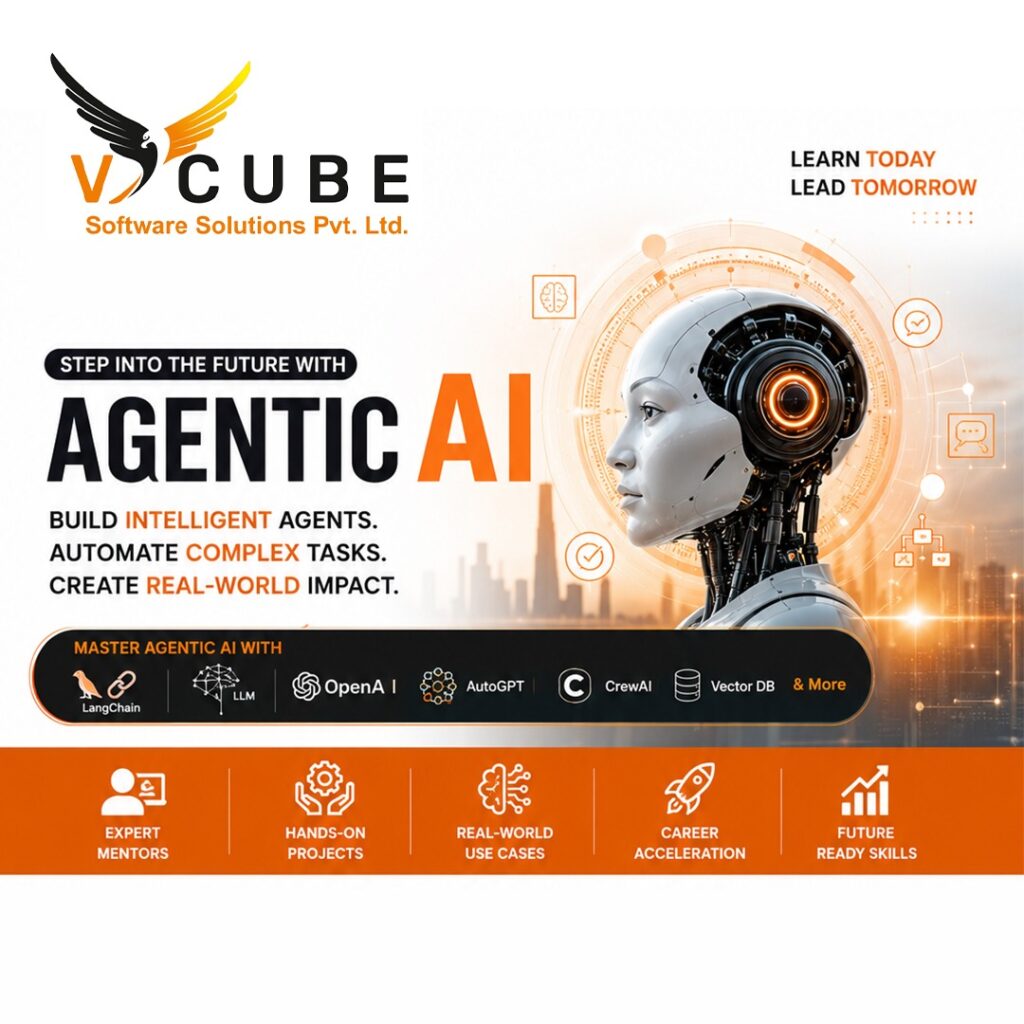
Agentic AI Course in Hyderabad at Vcube Software Solutions is designed to help you master AI agents, automation, and real-world applications. This course covers advanced concepts like Large Language Models (LLMs), autonomous AI agents, prompt engineering, and AI workflow automation. With hands-on projects and industry-focused training, students gain practical experience to build intelligent AI systems. Join the best Agentic AI training institute in Hyderabad and boost your career with high-demand AI skills.
Duration: 120 days
AI&Data science Course's Key Highlights
 100+ hours of learning Real-time industry professionals curate the course.
Internships and live projects
A cutting-edge training facility
Dedicated staff of placement experts
Placement is guaranteed 100 percent Assistance
28+ Skills That Are Useful in the Workplace
Trainers with a minimum of 12 years of experience
Videos and back-up classes
Subject Matter Experts Deliver Guest Lectures
Enter Your Details

Full Stack Generative AI & Agentic AI
Module 1: Development Environment Setup
- 1.1 Introduction to AI Development Environment
- 1.2 Code Editors
- 1.3 Python Installation
- 1.4 Jupyter Notebook Setup
- 1.5 PyCharm Setup
- 1.6 VS Code Setup
- 1.7 Virtual Environments
- 1.8 Package Management (pip)
- 1.9 Environment Variables (.env)
- 1.10 Essential VS Code Extensions
- 1.11 Project Structure
- 2.1 Instructions
- 2.2 Instruction Execution Cycle
- 2.3 Capabilities of Computers
- 2.4 Intelligence as a Service (AIaaS)
- 3.1 What is Artificial Intelligence (AI)?
- 3.2 Types of Artificial Intelligence (Based on Capability)
- 3.3 Types of Artificial Intelligence (Based on Functionality)
- 3.4 AI vs Machine Learning vs Deep Learning
- 3.5 Applications of Artificial Intelligence
- 3.6 Advantages and Limitations of AI
- 3.7 Future of AI
- 4.1 What is Machine Learning?
- 4.2 Types of Machine Learning
- 4.3 Supervised vs Unsupervised Learning
- 4.4 Machine Learning Workflow
- 4.5 Applications of Machine Learning
- 5.1 What is a Neural Network?
- 5.2 Artificial Neural Network (ANN)
- 5.3 How an ANN Works
- 5.4 Applications of Neural Networks
- 5.5 Neural Networks vs Traditional Programming
- 6.1 What is Deep Learning?
- 6.2 How Deep Learning Works
- 6.3 Applications of Deep Learning
- 6.4 What is Multimodality?
- 6.5 Applications of Multimodal AI
- 6.6 Deep Learning in Generative AI
- 7.1 Introduction to Generative AI
- 7.2 Large Language Models (LLMs)
- 7.3 GPT Family & Evolution
- 7.4 LLM Processing Pipeline
- 7.5 Tokenization
- 7.6 Vocabulary
- 7.7 Special / Reserved Tokens
- 7.8 Context Window
- 7.9 Next Token Prediction
- 7.10 De-Tokenization
- 7.11 LLM Inference
- 7.12 Applications of LLMs
- 8.1 Introduction to Transformer Architecture
- 8.2 Encoder vs Decoder Architecture
- 8.3 Transformer Processing Pipeline
- 8.4 Vector Embeddings
- 8.5 Embedding Matrix
- 8.6 Embedding Dimensions
- 8.7 Similarity in Vector Space
- 8.8 Cosine Similarity
- 8.9 Types of Embeddings
- 8.10 Positional Encoding
- 8.11 Self-Attention
- 8.12 Multi-Head Attention
- 8.13 Feed Forward Network (FFN)
- 8.14 Residual Connections & Layer Normalization
- 8.15 Output Layer
- 8.16 Transformer Processing Flow
- 8.17 Attention Visualization
- 9.1 Open Source vs Closed Source LLMs
- 9.2 Popular LLM Providers
- 9.3 Connecting to LLM Models
- 9.4 OpenAI-Compatible APIs
- 9.5 LLM Generation Controls
- 9.6 How LLMs are Trained
- 9.7 Training vs Inference
- 9.8 Backpropagation (Concept)
- 9.9 Types of AI Models Based on Input & Output
- 9.10 Working with Files in LLM Applications
- 10.1 Introduction to Prompt Engineering
- 10.2 Common Ways to Format Prompts
- 10.3 Types of Prompts
- 10.4 Prompt Styles
- 10.5 Guardrails
- 10.6 Output Formatting
- 10.7 Constraints Prompting
- 10.8 Step-by-Step Task Decomposition
- 10.9 Prompt Chaining
- 10.10 Prompt Engineering Best Practices
- 10.11 Content & Code Generation
- 10.12 Data Extraction
- 10.13 Prompt Injection
- 10.14 JSON Response Generation
- 11.1 Introduction to Self-Hosted LLMs
- 11.2 Introduction to Ollama
- 11.3 Installing Ollama
- 11.4 Working with Ollama
- 11.5 Popular Ollama Models
- 11.6 Using Ollama from Python
- 11.7 OpenAI-Compatible API with Ollama
Module 12: Building an LLM as a Service with Flask
- 12.1 Introduction to LLM as a Service
- 12.2 Setting Up the Flask Project
- 12.3 Flask Templates (Jinja2)
- 12.4 Creating the Chat Interface
- 12.5 Building LLM API Endpoints
- 12.6 Connecting an LLM
- 12.7 Sending Prompts to the LLM
- 12.8 Testing the Application
- 12.9 Deploying the Flask Application
- 12.10 Consuming the API from React
Module 13: LLM Service Testing with Postman & Bruno
- 13.1 Introduction to API Testing
- 13.2 Introduction to Postman
- 13.3 Introduction to Bruno
- 13.4 Returning JSON Data
- 13.5 Creating a POST Request
- 13.6 Testing APIs
- 13.7 Error Handling
Module 14: Building LLM Services with FastAPI
- 14.1 Introduction to FastAPI
- 14.2 Setting Up a FastAPI Project
- 14.3 Introduction to Pydantic
- 14.4 Creating Your First API
- 14.5 Building an LLM Chat Service
- 14.6 Connecting an LLM
- 14.7 Request Validation with Pydantic
- 14.8 Error Handling
- 14.9 Interactive API Documentation
- 14.10 Testing the APIs
Module 15: Hugging Face & Open-Source LLMs
- 15.1 Introduction to Hugging Face
- 15.2 GitHub vs Hugging Face
- 15.3 Creating a Hugging Face Account
- 15.4 Hugging Face Architecture
- 15.5 Important Hugging Face Libraries
- 15.6 Types of AI Models
- 15.7 Model Parameters
- 15.8 Popular Model Sizes
- 15.9 Model Weight Formats
- 15.10 Model Size Calculation
- 15.11 Model Licenses
- 15.12 Installing Transformers
- 15.13 Hugging Face Pipelines
- 15.14 Tokenizers
- 15.15 AutoTokenizer
- 15.16 Downloading Models from Hugging Face
- 15.17 Hugging Face Datasets
- 15.18 Multi-modal LLMs in Hugging Face
- 15.19 Hugging Face Spaces
Module 16: Advanced LLM Features
- 16.1 Advanced LLM Capabilities
- 16.2 JSON Output
- 16.3 Structured Output
- 16.4 Streaming Responses
- 16.5 Vision Models (Multimodal AI)
- 16.6 Function Calling
- 16.7 Vision + Function Calling
Module 17: Agentic AI
- 17.1 Agent Workflow
- 17.2 Planning
- 17.3 Reasoning
- 17.4 Observation
- 17.5 Adding Tools to AI Agents
- 17.6 Manual Tool Calling (Rule-Based)
- 17.7 AI Agent Tool Calling (LLM-Based)
- 17.8 AI Agent with Multiple Tools
- 17.9 System Prompts for AI Agents
- 17.10 Building AI Agents
- Module 18: LangChain
18.1 Introduction to LangChain
- 18.2 Installing LangChain
- 18.3 Chat Models
- 18.4 Prompt Templates
- 18.5 Output Parsers
- 18.6 Chains
- 18.7 Tools
- 18.8 LangChain Agents
- 18.9 ReAct Agent (Introduction)
- 18.10 Conversation Memory
- 18.11 Document Loaders
- 18.12 Text Splitters
- 18.13 Callbacks
Module 19: Memory in AI Agents
- 19.1 Introduction to Memory
- 19.2 Context Window
- 19.3 Types of Memory
- 19.4 Conversation Memory
- 19.5 Persistent Memory
- 19.6 Checkpoints
- 19.7 Memory Storage Options
- 19.8 Session Memory
- 19.9 Implementing Memory
Module 20: Retrieval-Augmented Generation (RAG)
- 20.1 Introduction to RAG
- 20.2 Problem Statements
- 20.3 RAG Architecture
- 20.4 Phases of RAG
- 20.5 Document Loaders
- 20.6 Text Chunking
- 20.7 Query Rewriting
- 20.8 Embedding Models
- 20.9 Retriever
- 20.10 Building a Complete RAG Application
- 20.11 Hybrid Search
Module 21: Vector Databases
- 21.1 Introduction to Vector Databases
- 21.2 Vector Database Architecture
- 21.3 Popular Vector Databases
- 21.4 Similarity Search
- 21.5 CRUD Operations
- 21.6 Metadata Filtering
- 21.7 Choosing the Right Vector Database
Module 22: LangGraph
- 22.1 Introduction to LangGraph
- 22.2 LangGraph Architecture
- 22.3 Installing LangGraph
- 22.4 Understanding State
- 22.5 Nodes
- 22.6 Edges
- 22.7 Conditional Edges
- 22.8 State
- 22.9 Building Your First Graph
- 22.10 Conditional Routing
- 22.11 Integrating LLMs
- 22.12 Tool Calling in LangGraph
- 22.13 Memory & Checkpoints
- 22.14 Human-in-the-Loop
Module 23: Model Context Protocol (MCP)
- 23.1 Introduction to MCP
- 23.2 Understanding the MCP Architecture
- 23.3 MCP Components
- 23.4 MCP Communication
- 23.5 Building an MCP Server
- 23.6 Building an MCP Client
- 23.7 MCP Transport Mechanisms
- 23.8 Creating MCP Tools
- 23.9 Working with MCP Resources
- 23.10 MCP Prompts
- 23.11 Integrating MCP with AI Agents
Module 24: Multi-Agent Systems
- 24.1 Introduction to Multi-Agent Systems
- 24.2 Multi-Agent Architecture
- 24.3 Types of AI Agents
- 24.4 Agent Communication
- 24.5 Task Planning
- 24.6 Agent Collaboration Patterns
- 24.7 Memory in Multi-Agent Systems
- 24.8 Tool Sharing
- 24.9 Building Multi-Agent Systems
- 24.10 Multi-Agent Frameworks
- 24.11 Supervisor Agent
Module 25: AI Evaluation
- 25.1 Evaluating LLM Responses
- 25.2 Hallucinations
- 25.3 Ground Truth
- 25.4 Precision
- 25.5 Recall
- 25.6 Latency
- 25.7 Cost Optimization
- 25.8 Prompt Evaluation
- 25.9 RAG Evaluation
- 25.10 Agent Evaluation
Module 26: Deployment & Production AI Applications
- 26.1 FastAPI Deployment
- 26.2 Docker
- 26.3 Docker Compose
- 26.4 Nginx
- 26.5 HTTPS
- 26.6 Environment Variables
- 26.7 Logging
- 26.8 Monitoring
- 26.9 Authentication
- 26.10 Production Best Practices
- 26.11 Deploying AI Agents
- 26.12 End-to-End Projects
FAQ'S
Yes. You can start with the basics of AI and gradually move towards Generative AI, AI agents, automation, and real-world applications. The course starts with basic concepts before moving to advanced topics.
Yes. You can start from the basics and build your skills step by step. Having an interest in AI and regular practice can help you progress through the course.
You don’t need to be an expert in coding before joining. The course starts with the AI development basics and includes Python, so you can build your coding skills along the way.
You will learn Generative AI, LLMs, prompt engineering, AI agents, RAG, AI automation, memory, multi-agent systems, and how to build and deploy AI applications.
Agentic AI focuses on AI systems that can plan tasks, use tools, make decisions, and work through multiple steps to complete a goal. The course includes planning, reasoning, observation, tool use, and building AI agents.
Yes. The course includes hands-on learning and end-to-end projects where you build AI applications and AI agents and work with real development processes.
It can be a good option for students who are interested in AI and want to build skills in Generative AI and AI application development. Practical projects and strong basics can help you prepare for job opportunities.
Yes. The course covers Generative AI and LLMs before moving into AI agents, tool calling, memory, RAG, multi-agent systems, and related application development.
The VCube Agentic AI course is currently listed with a 180-day duration.
VCube offers Agentic AI Training in Hyderabad, with its training centre listed at KPHB Phase 1, Kukatpally
Upskill & Reskill For Your Future With Our Software Courses
Agentic AI Training in Hyderabad

Quick Links
Other Pages
Contact Info
- 2nd Floor Above Raymond’s Clothing Store KPHB, Phase-1, Kukatpally, Hyderabad
- +91 7675070124, +91 9059456742
- contact@vcubegroup.com